

How to Hide the Trip Enquiry Form on the Single Trip Page
Turn off the enquiry form on your trip pages when you'd rather travelers contact you by phone or email instead.
What the enquiry form does
The Trip Enquiry form appears on your trip page and lets travelers ask questions without leaving the page. Keep it if you offer custom tours or private trips where travelers need more details before booking.
You may want to hide the form if you prefer phone calls, already have a contact page, or do not need two ways for travelers to contact you.
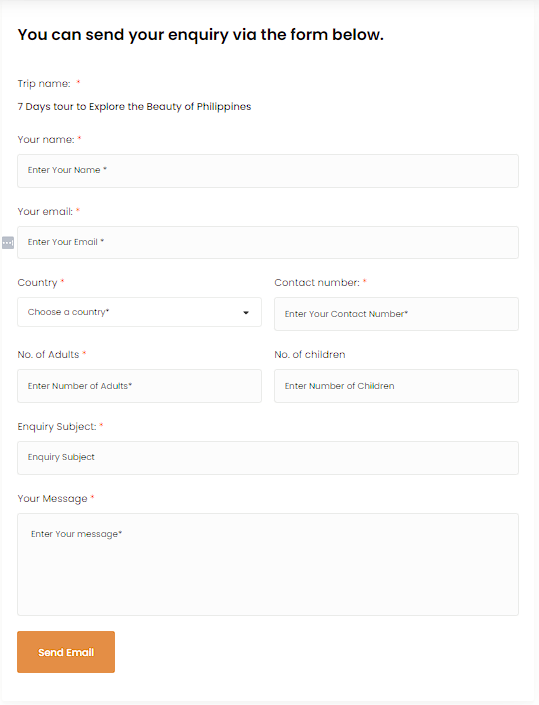
You'll need the WP Travel Engine plugin active on your WordPress site before you start.
Turn off the enquiry form
You will change this setting from your WordPress dashboard. The dashboard is the administration area for your website. Use the menu on the left side, called the left sidebar, to find the WP Travel Engine settings.
Open your WordPress dashboard
Sign in to your WordPress website. Open the dashboard from your WordPress login page. The dashboard is the administration area for your site. You will use the menu on the left side to find the WP Travel Engine settings.
Open the WP Travel Engine settings
On the left sidebar of your dashboard, click WP Travel Engine. Then click Settings.
Open the Display settings
Click the Display tab at the top of the settings page.
Find the Single Trip settings
Scroll down to the Single Trip section. Find the General subsection inside it.
Turn off the enquiry form
Find the Show Enquiry Form toggle. Turn it off. The enquiry form will no longer appear on your single trip pages. Your other trip information will stay visible.
Save your changes
Click Save Changes at the bottom of the page.
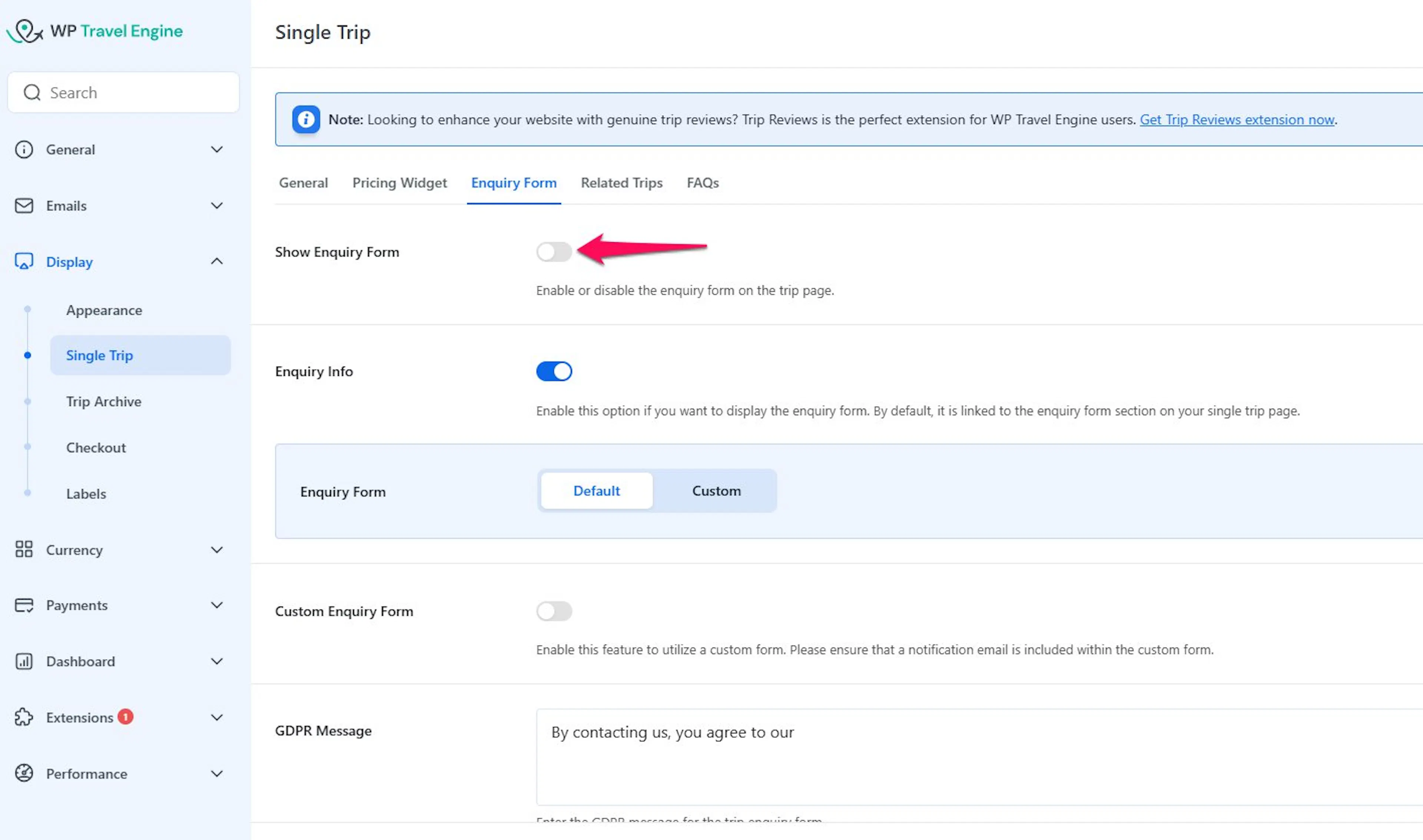
Say you run day tours in your city and travelers usually call you to ask questions. Having a form on the page might feel like an extra step for them. With the enquiry form hidden, your trip page still shows the photos, the itinerary, and the price. Travelers just contact you the way they prefer.
After you save the setting, open one of your trip pages to check it. The enquiry form will be gone, and the rest of the trip page will stay the same.
If you are still stuck or have a question we did not cover, our support team is happy to help. Reach out at our support page and we will get you sorted.