

Unable to Login Into Your Account
Get back into your WP Travel Engine account when you're locked out. Reset your password, find missing reset emails, and make sure future account emails always reach your inbox.
Why you might be locked out
If you've tried to log into your WP Travel Engine account a few times with the wrong password, the website may have temporarily locked you out. This happens because of a security feature that blocks further login attempts after several failed ones. It's there to protect your account from people who might try to guess your password.
Say you typed your password wrong three times in a row because you were in a rush between tour bookings. The system sees those failed attempts and pauses your access for a short while. It's not broken. It's doing its job.
This lockout clears on its own after a short time. You can wait it out, but resetting your password is usually faster.
The good news is that resetting your password gets you back in without having to wait.
Reset your password
Before you start, you'll need access to the email address you used when you bought WP Travel Engine. That's where the reset link gets sent.
Go to the My Account page
Open My Account on the WP Travel Engine website. This is the same page you'd normally use to log in.
Start the password reset
You'll see a password reset option on that page. Click it, and the site will send an email with instructions to set a new password. The email usually arrives within a minute.
Check every inbox folder
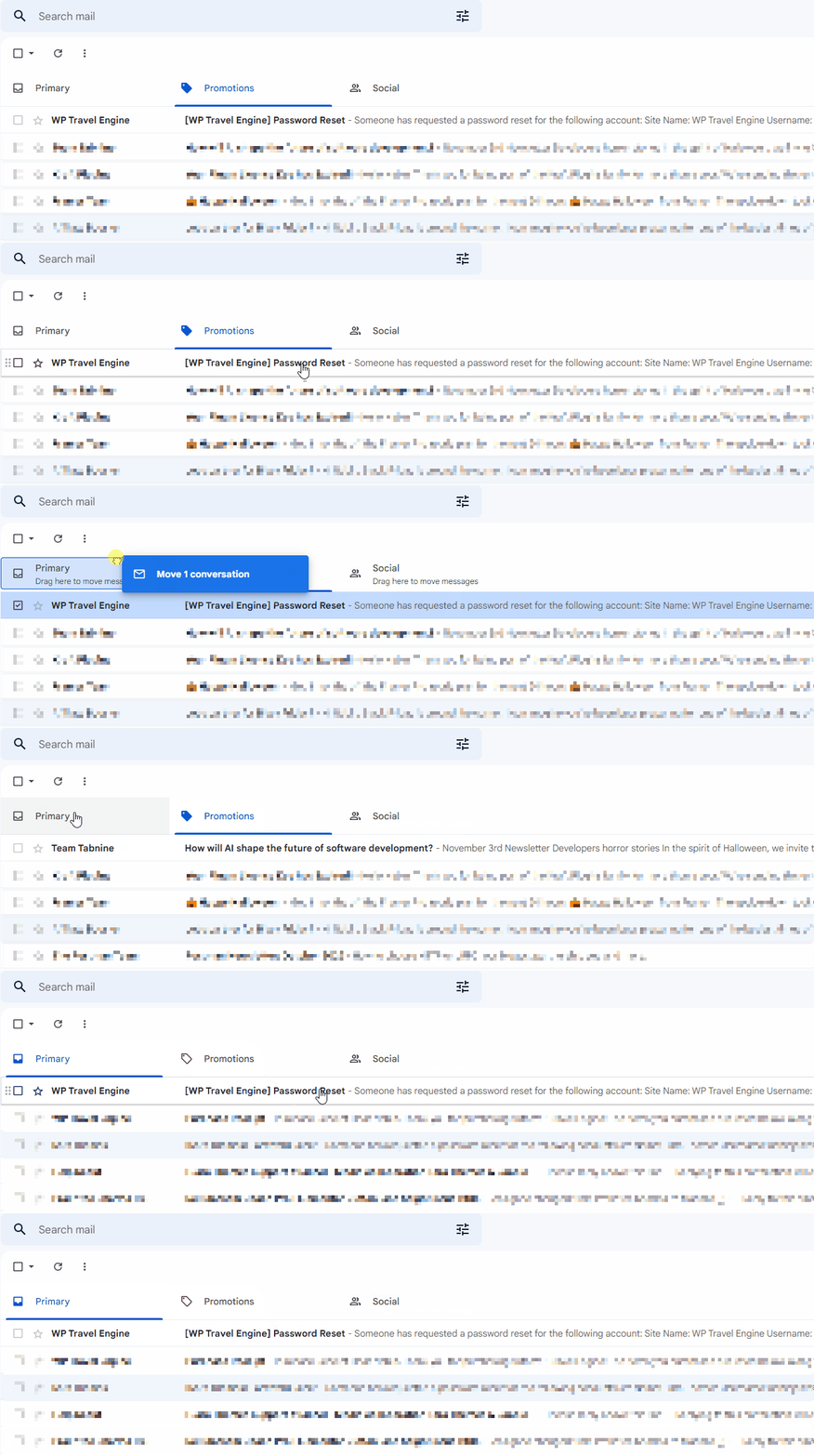
Sometimes the reset email doesn't land in your main inbox. It might end up in your Spam or Junk folder instead. If you use Gmail, also check the Updates and Promotions tabs at the top of your inbox. These are separate sections Gmail uses to sort incoming mail, and reset emails often get filed there.
Follow the link in the email
Open the email and click the reset link inside it. You'll be able to set a new password and log back in right away.
Once you have a new password, you should be able to log in without any trouble.
Make sure future emails reach your inbox
Password reset emails aren't the only messages WP Travel Engine sends you. You'll also get renewal reminders, license key notices, and other account updates. To make sure those emails don't get lost, it helps to whitelist the WP Travel Engine support email address.
"Whitelisting" means telling your email provider that emails from a specific sender are safe and should always go to your inbox. It's the opposite of marking something as spam.
If you use Gmail, there's a quick trick. Find the WP Travel Engine email in your Spam or Promotions folder, then drag it into your main inbox. Gmail learns from this and sends future emails from that address to your inbox automatically.
This small step now saves you from missing important account emails later.
Still can't log in?
If you've reset your password, checked every folder, and whitelisted the support email but still can't get into your account, don't worry. The support team can look into it from their end.
If you're still stuck or have a question we didn't cover, our support team is happy to help. Reach out at our support page and we'll get you sorted.