

AI Agent
Ask questions and make changes to your trips, bookings, customers, and coupons in plain language from a chat console built into your WordPress admin menu, with fine-grained control over what the assistant can read or change.
Introduction
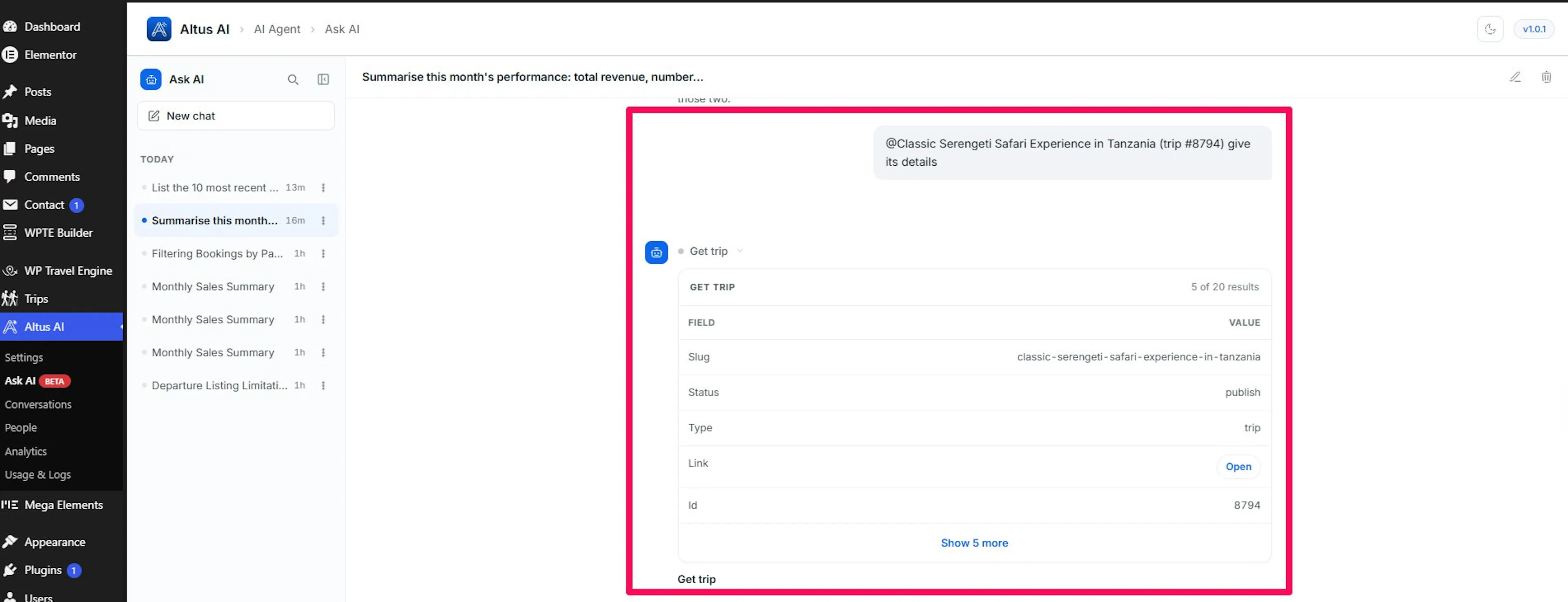
AI Agent adds an Ask AI page to your WordPress admin menu. It works like a chat assistant that already knows your store: ask a question in plain language, and it answers from your live data; when you ask it to change something, it can do that too.
Examples of what staff ask it:
- "Which trips sold the most last month?"
- "Show me all bookings for the Everest Base Camp trek in October."
- "Create a 15% coupon for early bookings, valid through March."
- "Update the price of the October 12 departure to $2,400."
- "Who booked but hasn't paid yet?"
Why It Exists
Running a travel site means constant small questions and small changes. Answering them usually means digging through report screens, filtering booking lists, and clicking into trip after trip.
AI tools could help with that, but only if you were willing to install a separate desktop app, connect it to your site, and then work on your business from a window that isn't your business. AI Agent removes all of that. Connect an AI provider once in Altus settings, and the assistant lives in your admin menu. No extra app, no technical setup, and nothing for your staff to learn beyond typing a question.
What You Can Do With It
- Ask about your business: trips, departures, bookings, customers, payments, coupons, enquiries, and sales figures, all in plain language, with follow-up questions that remember the conversation.
- Get answers you can read at a glance: replies aren't only paragraphs. When the answer suits it, the assistant lays things out as tables, summary figures, cards, or charts.
- Make changes without leaving the chat: create and update trips and packages, adjust bookings, edit customer details, issue coupons, and upload media.
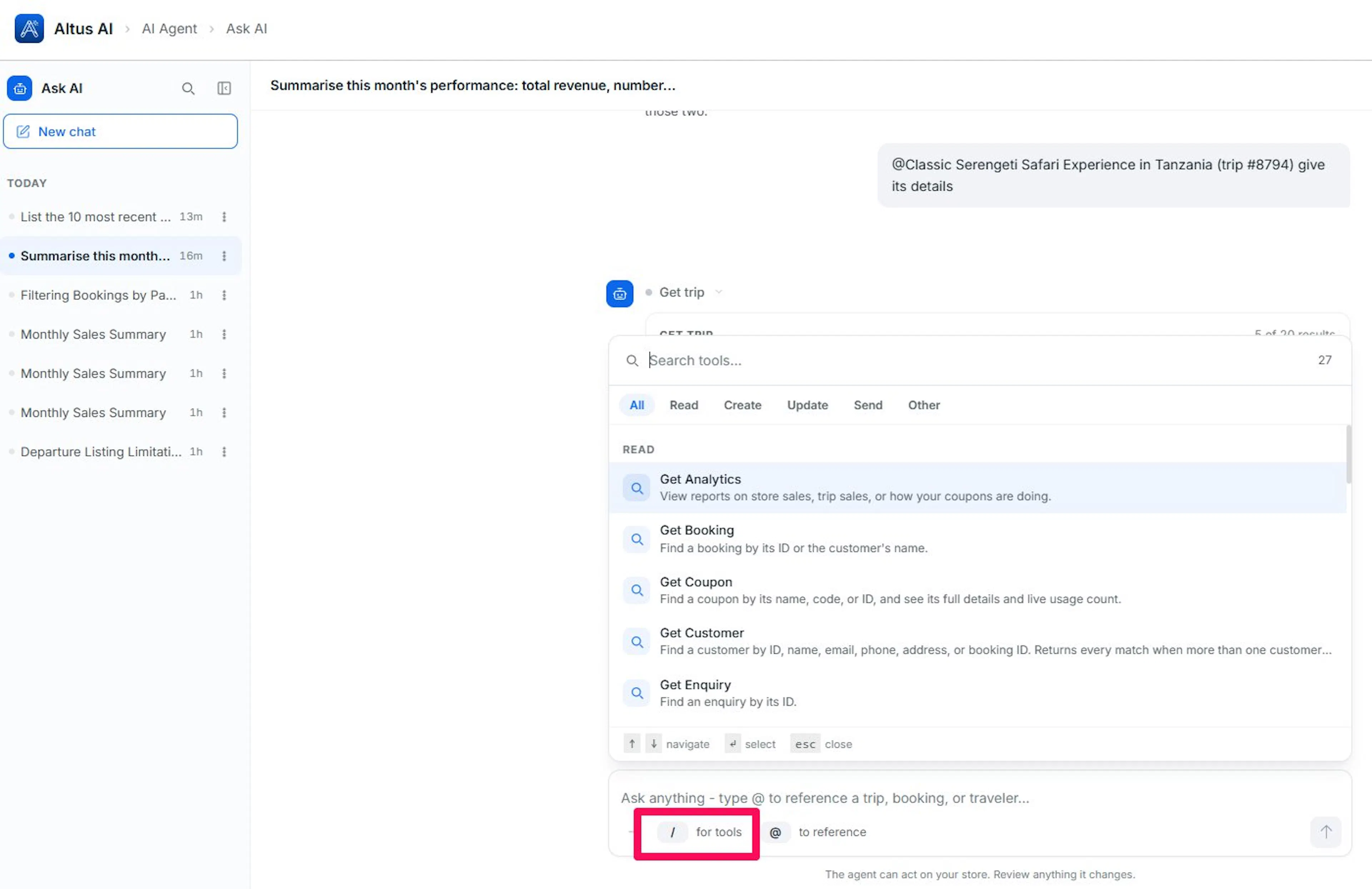
- Pick tools quickly: type
/to see everything the assistant is allowed to do, grouped by whether it reads information or changes it. - Keep your history: every conversation is saved with an automatic title, so you can return to what you asked last week.
Why Use It
- Fewer clicks for routine questions: a plain-language question replaces digging through report screens and filtered lists.
- Small edits stay small: updating a price or issuing a coupon happens in the same chat as the question that prompted it, instead of a separate trip to that screen.
- Nothing to install: it lives in the admin menu you already use, connected through the AI provider you've already set up for the rest of Altus.
- A record of what changed: every action Ask AI takes is visible in the reply that produced it, so there's no guessing what happened after the fact.
Staying in Control
AI Agent is deliberately cautious about changes.
- You decide what it may touch. Each capability is set to Allow, Ask first, or Deny. Reading data can be open while changes stay gated.
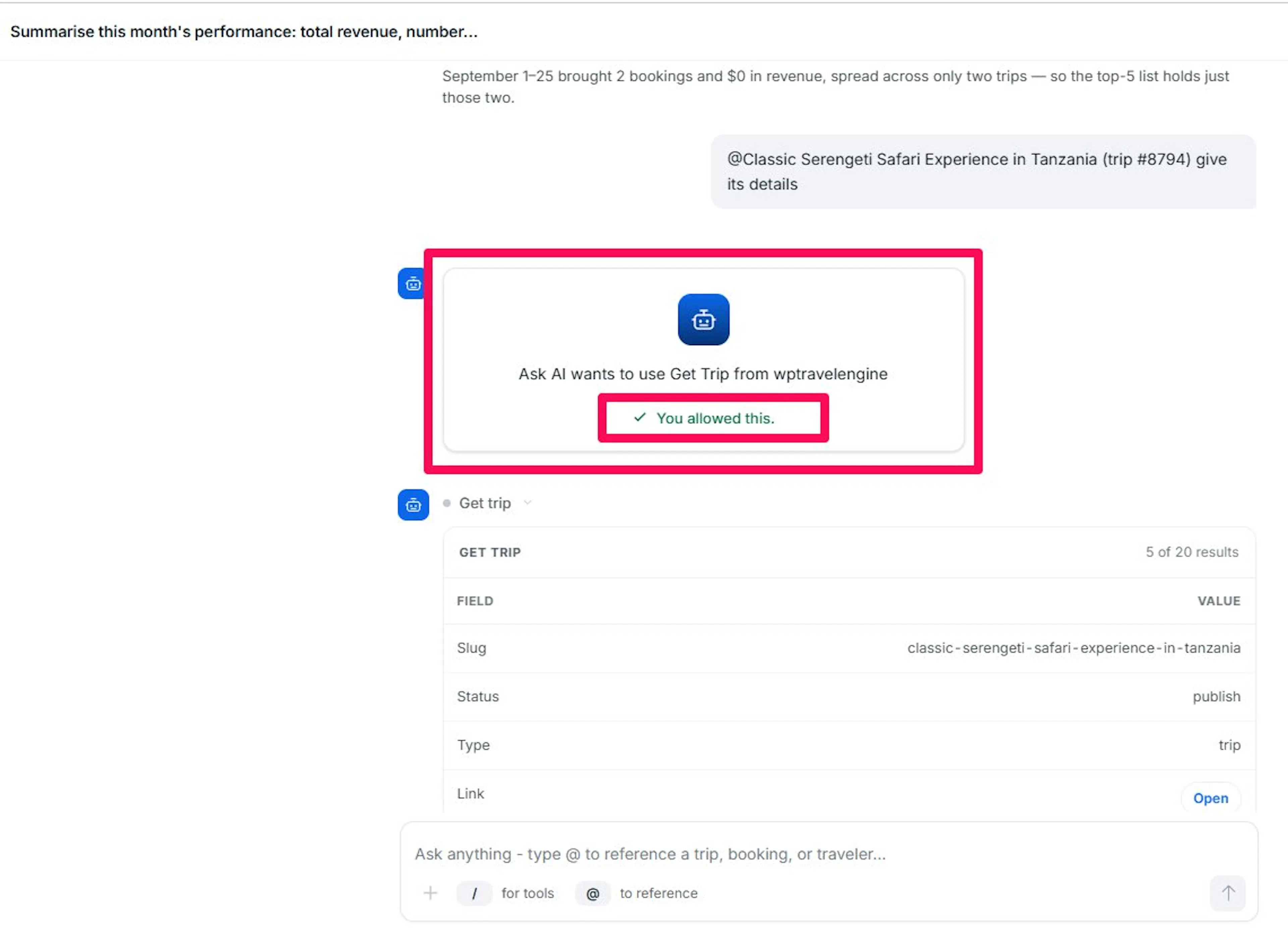
- Changes can require your confirmation. Anything set to Ask first shows exactly what will happen and waits for your approval. Approving once authorizes that single action; nothing repeats on its own.
- Sensitive areas are off by default. Site-wide settings and add-on data stay locked until an administrator deliberately opens them.
- Only the roles you choose get access. By default, administrators and shop managers; at least one role must always keep access.
- Existing WordPress permissions still apply. The assistant can never do something the signed-in user couldn't do themselves.
- You can see its work. Each reply shows which action it took and with what details.
Getting Started
AI Agent needs an active Altus AI license and a connected AI provider before it can answer anything. Once those are in place, you configure what it can do and then start chatting.
Configuring AI Agent
Choose the model that powers Ask AI, set tool permissions, and pick which WordPress roles can open it.
Using AI Agent
Activate your Altus AI license, connect an AI provider, and use the Ask AI chat console to query and manage your store in plain language.
If you're still stuck or have a question we didn't cover, our support team is happy to help. Reach out at our support page and we'll get you sorted.