
Every time Content Generation writes something for you, Altus AI records it here. This page lets you see exactly what was generated, which provider and model handled it, how many tokens it used, what it cost, and gives you the ability to view full details or delete entries you no longer need.
Where to Find It #
From your WP dashboard, go to Altus AI → Account → Usage & Logs.
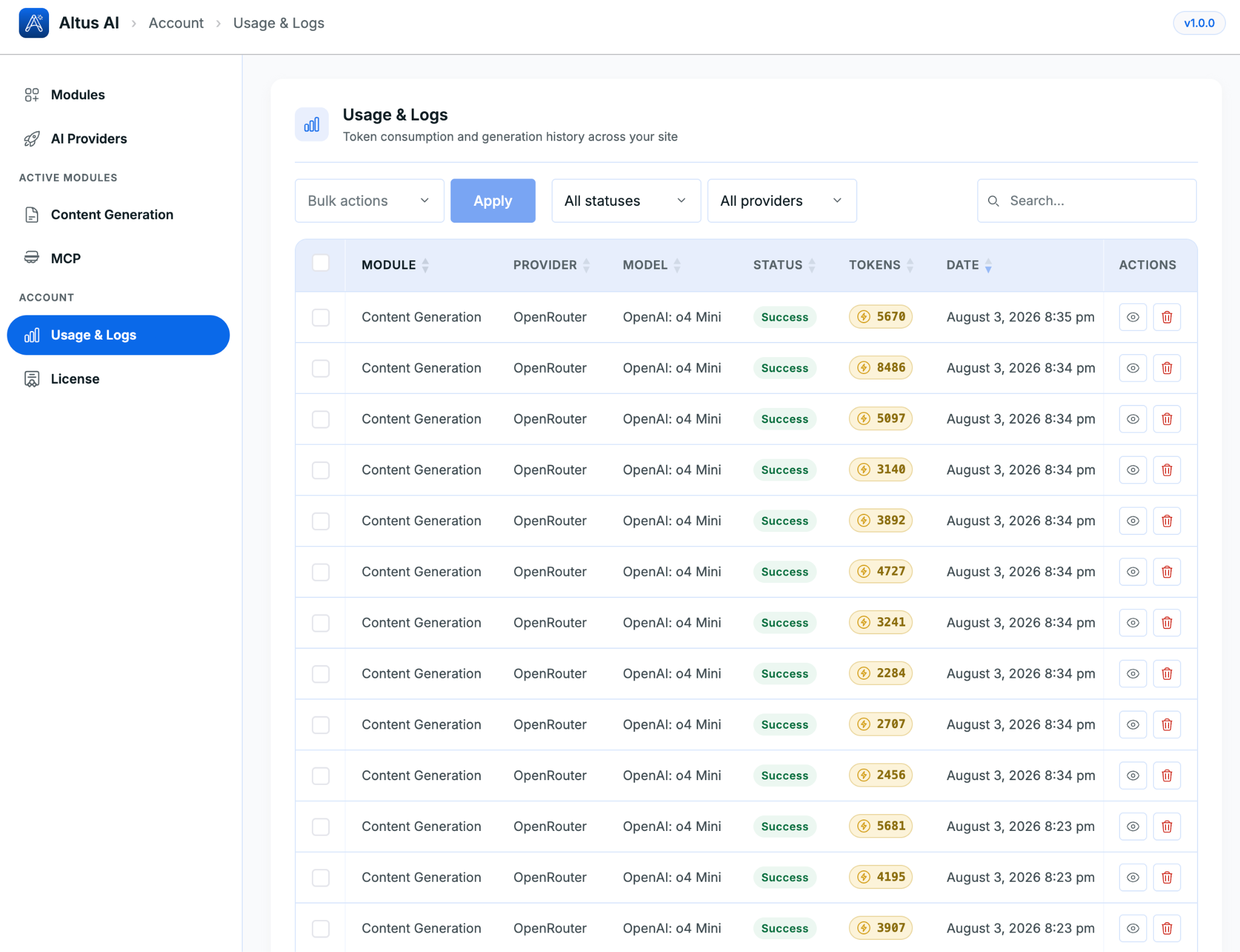
The table lists every generation with these columns:
- Module – which Altus AI module generated this (e.g., Content Generation)
- Provider – the AI provider used (e.g., OpenRouter)
- Model – the specific model that handled the request (e.g., OpenAI: o4 Mini)
- Status – whether the generation succeeded or failed
- Tokens – how many tokens the request used
- Date – when it happened
- Actions – icons to view full details or delete the entry
Filtering and Searching #
Above the table, you can narrow down what you’re looking at:
- All statuses – filter to only successful or only failed generations
- All providers – filter to a specific AI provider
- Search – search for a specific entry
Viewing Log Details #
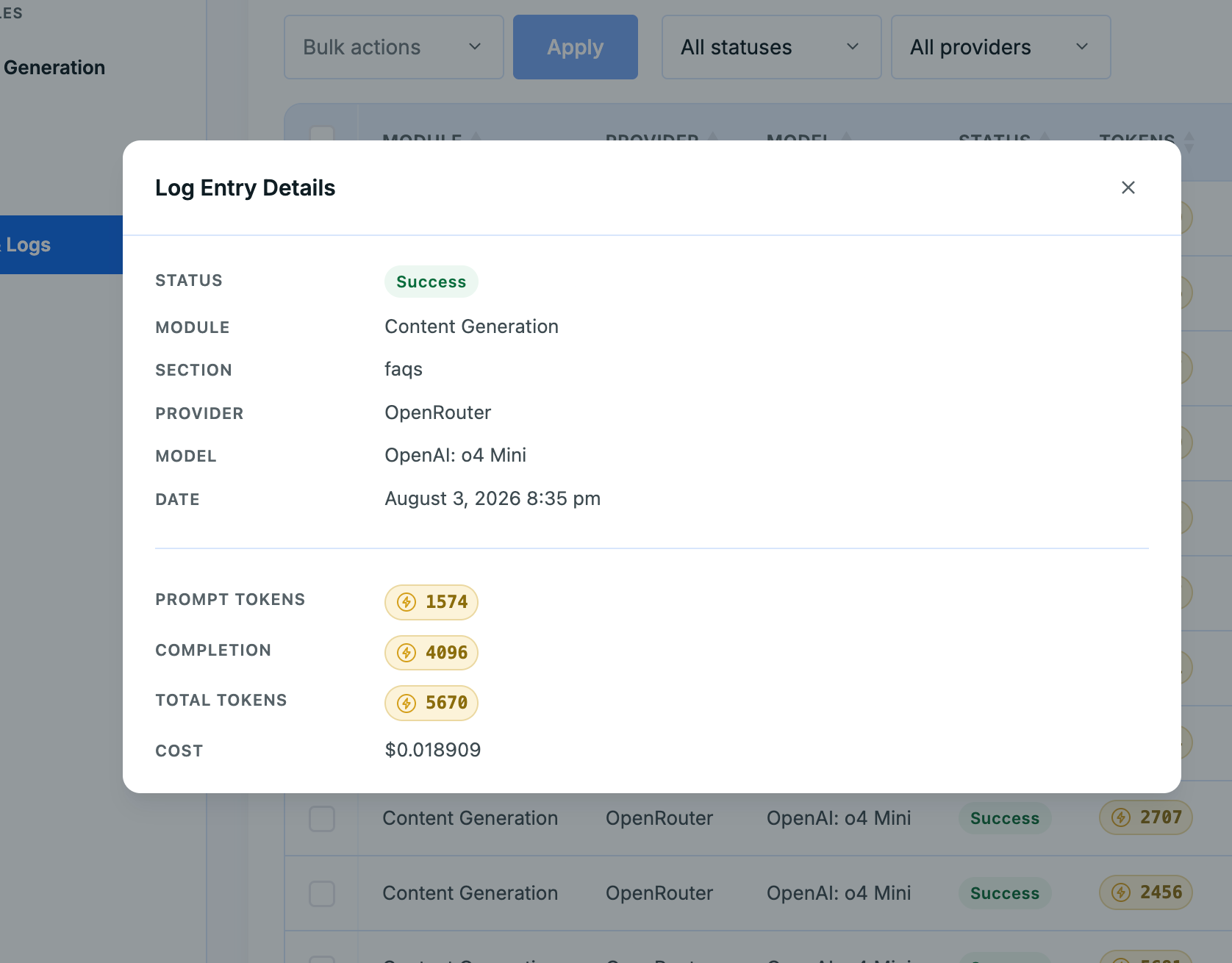
Click the view icon (eye icon) next to any entry to open its full details. This shows:
- Status – success or failure
- Module – which module generated it
- Section – the specific trip section this generation was for (e.g., FAQs, Itinerary)
- Provider and Model – exactly which AI handled the request
- Date – the exact date and time
- Prompt Tokens – tokens used by the instructions sent to the AI
- Completion Tokens – tokens used by the AI’s written response
- Total Tokens – the combined total
- Cost – the exact cost of that single generation, based on your provider’s pricing
Deleting Logs #
You can remove log entries you no longer need to keep your history clean.
To delete a single entry:
- Click the delete icon (trash icon) next to that entry in the Actions column.
To delete multiple entries at once:
- Check the box next to each entry you want to remove.
- Choose the delete option from the Bulk actions dropdown.
- Click Apply.
Costs #
Content generation is billed by whichever AI provider you’ve connected, based on that provider’s own token pricing. Altus doesn’t add a charge on top. Use this page to track exactly how much you’re spending, and on what, across your site.
FAQs #
Does deleting a log entry delete the content it generated? #
No. Deleting a log only removes that record from Usage & Logs. Any content already generated and applied to a trip stays exactly as it is.
Can I see the cost for one specific generation instead of my total spend? #
Yes. Click the view icon on any entry to see its exact cost, along with prompt, completion, and total token counts
Can I filter logs by a specific AI provider? #
Yes. Use the All providers dropdown above the table to narrow the list to one provider.