
The Private Trips add-on allows you to hide specific trips from public listings and make them accessible only through a direct link. This is ideal for travel agencies and tour operators who want to create exclusive, invite-only trips for specific customers, corporate groups, partners, or VIP travelers.
With this add-on, you can keep a trip completely private, optionally protect it with a password, while maintaining the same booking and checkout experience for travelers.
Key Features #
- Hide trips from all public listings.
- Access trips only via a direct link.
- Optional password protection for controlled access.
- Customizable lock screen content.
- Fully compatible with all trip features and payments.
Benefits at a Glance #
| Feature | Benefit |
| Private Visibility | Keep exclusive trips hidden from the public |
| Direct Link Access | Share trips only with intended travelers |
| Password Protection | Add an extra layer of access control |
| Unchanged Booking Flow | Travelers enjoy the same smooth booking experience |
| Full Compatibility | Works with all packages, pricing, and payments |
Prerequisites #
Before using the Private Trips add-on, ensure the following:
- You have WP Travel Engine installed and activated on your WordPress site (Version 6.7.5 or later)
- You have installed and activated the Private Trips add-on.
- You have created at least one trip in WP Travel Engine.
How to Install the Private Trips Add-on #
Verification #
To confirm the add-on is active and working:
- Open any existing trip page.
- On a trip page, navigate to WP Travel Engine – Trip Settings > Advanced Settings
- Confirm that the Private Trip tab is available.
Configuring the Private Trip Settings #
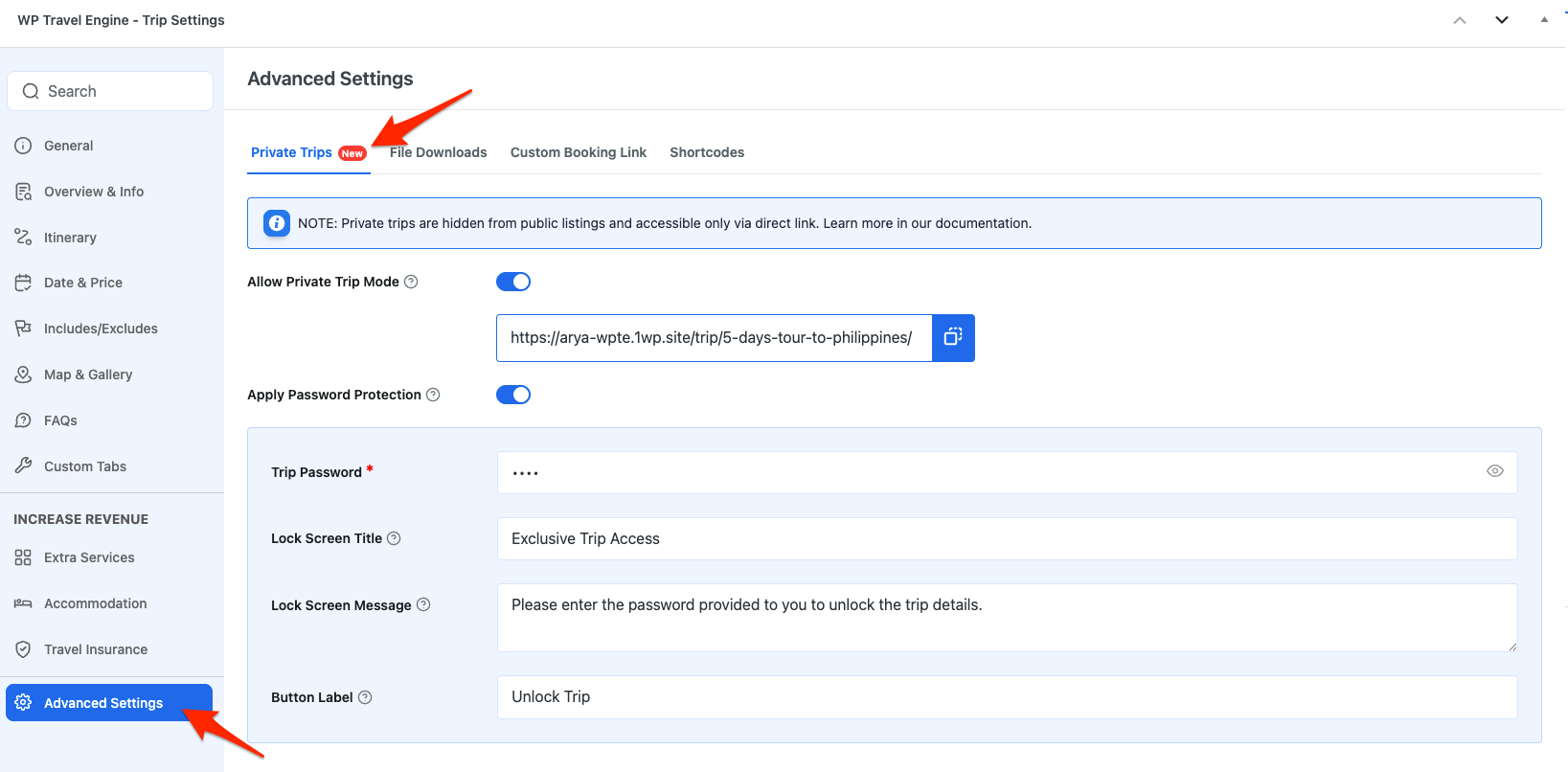
Private Trips are configured per trip and can be managed directly from the Private Trips tab inside the trip’s Advanced Settings.
Allow Private Trip Mode #
Enable Allow Private Trip Mode to make the trip private.
Once enabled:
- The trip is hidden from public trip listings, archive pages, and search results.
- A Trip Link is generated automatically.
- Copy and share the trip link with selected customers.
Note: Disabling this option immediately restores the trip’s public visibility.
Apply Password Protection #
Additionally, enable Apply Password Protection to require travelers to enter a password before accessing the trip.
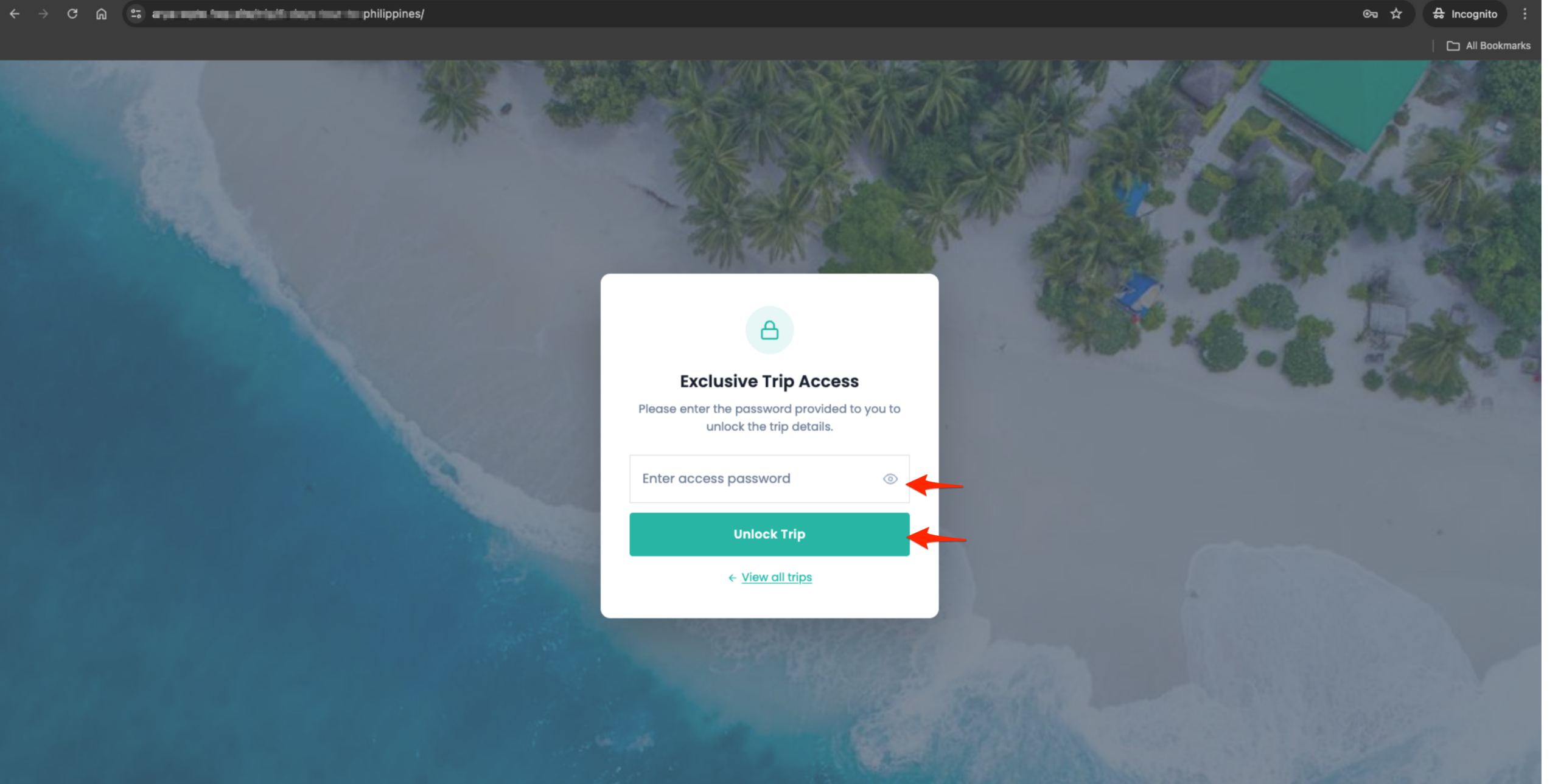
When enabled, visitors opening the trip link will see a lock screen and must enter the correct password to continue.
Trip Password #
Set the password required to unlock the private trip. This field is required when password protection is enabled.
Lock Screen Title #
Set the heading text displayed on the password entry screen.
Lock Screen Message #
Set the message displayed below the title on the lock screen.
Use this to guide travelers on what to do or explain how they received access to the trip.
Unlock Button Label #
Customize the text shown on the button used to submit the password.
Frontend Preview #
Use Cases #
Use Case 1: Private Trip Without Password #
Situation:
You are creating a custom trip for a specific customer, corporate group, or partner, and you don’t want the trip to appear in public listings or search results.
Implementation:
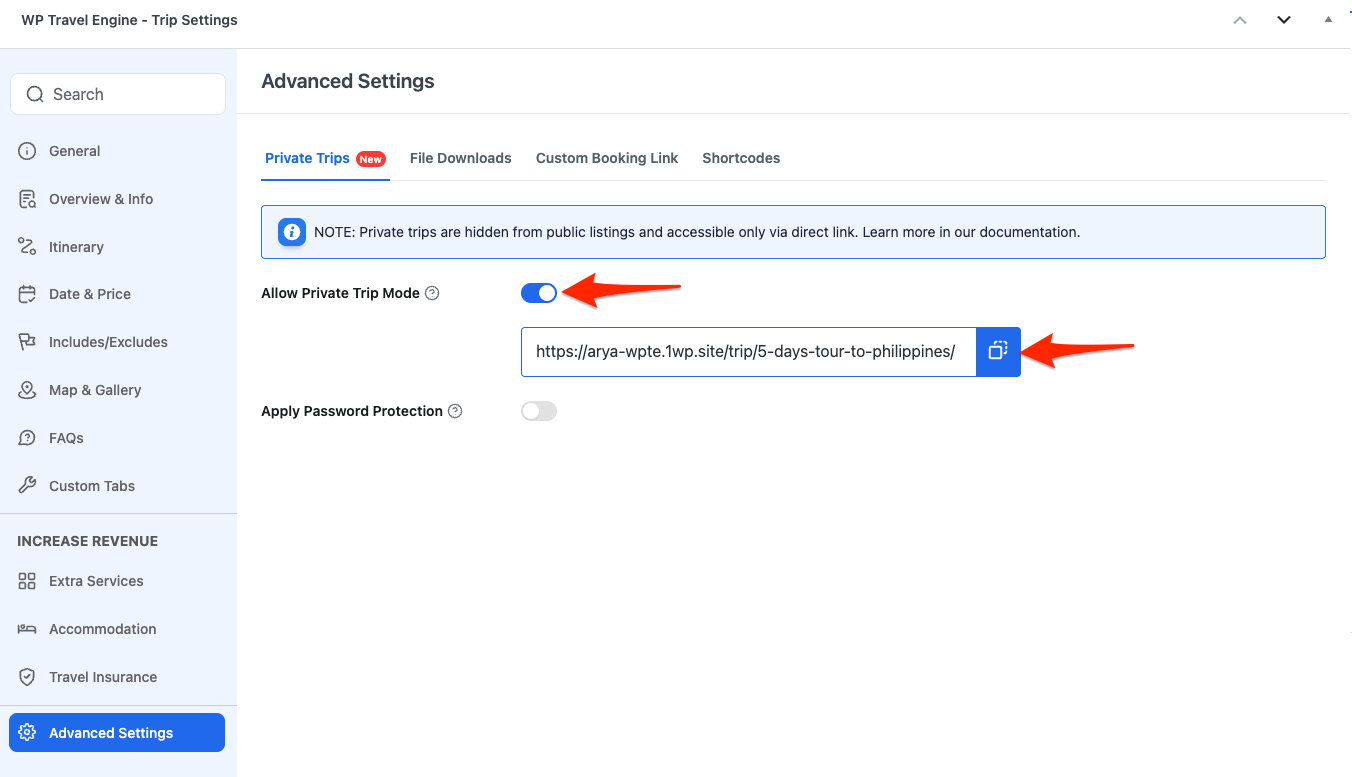
- Enable Allow Private Trip Mode for the trip.
- Keep Apply Password Protection disabled.
- Copy the generated Trip Link and share it directly with the customer.
Benefit:
The trip remains hidden from the public, while the customer can easily access and book it via the direct link.
Use Case 2: Password-Protected Exclusive Trip #
Situation:
You are organizing an invite-only or VIP trip and want to ensure only authorized travelers can view and book it.
Implementation:
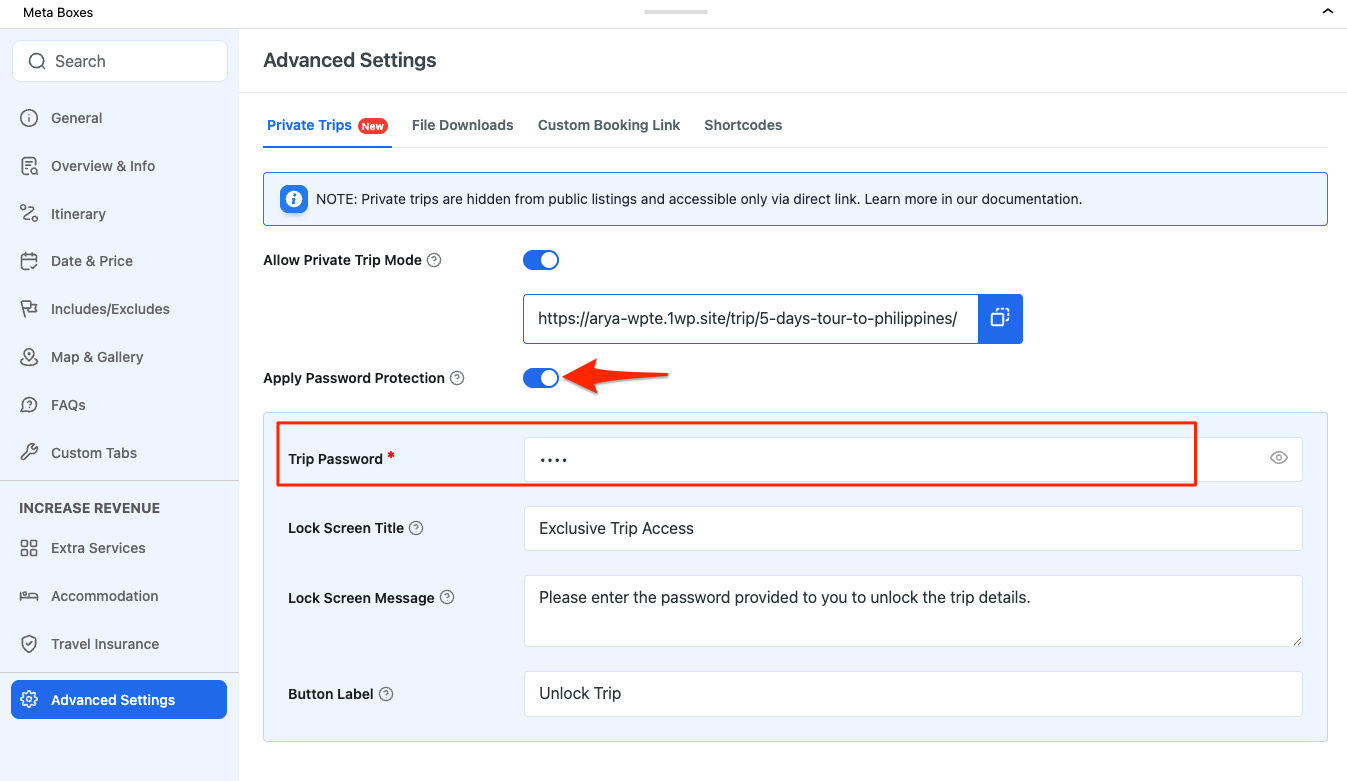
- Enable Allow Private Trip Mode.
- Enable Apply Password Protection.
- Set a Trip Password and customize the lock screen content.
- Share the trip link and password separately with selected travelers.
Benefit:
You gain full control over who can access the trip, while travelers still experience the same smooth booking process.
FAQ #
Does making a trip private affect the booking process? #
No. The booking flow remains the same for travelers.
Can private trips accept payments and add-ons? #
Yes. Private trips support all standard pricing, packages, add-ons, and payment gateways.
Can I remove the password but keep the trip private? #
Yes. You can disable password protection while keeping the trip private.
Can a private trip be made public again? #
Yes. Simply disable Private Trip Mode, and the trip will become publicly visible again.