
Table of Contents
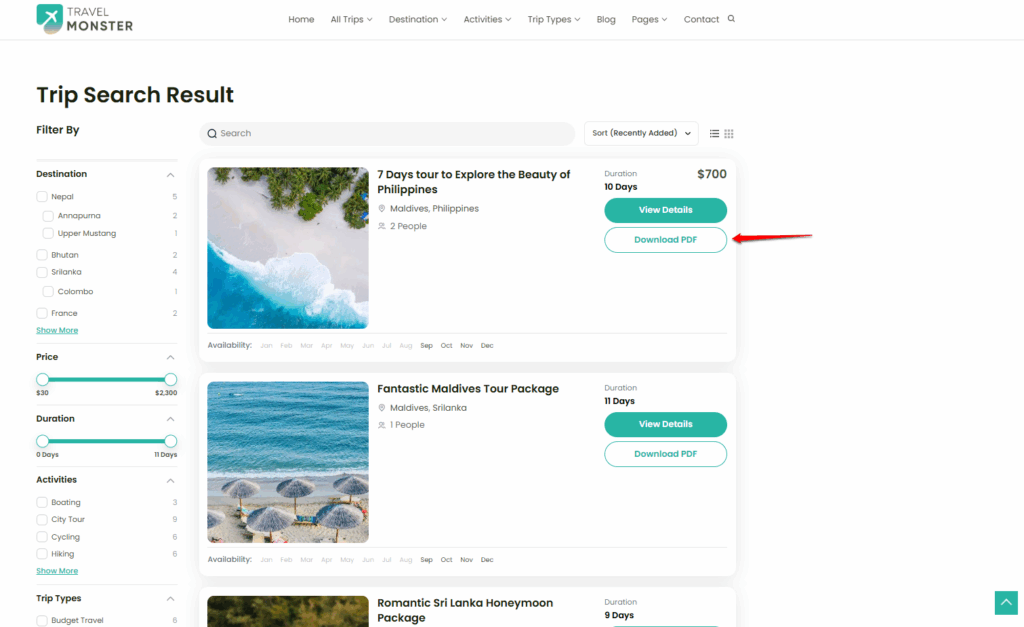
You can enable the Itinerary Downloader button on the Trip Search / Archive Page to allow users to directly download the trip itinerary PDF from the archive listing, without needing to open the individual trip page.
Important: The Itinerary Downloader button cannot be added unless the Itinerary Downloader Add-on is installed.
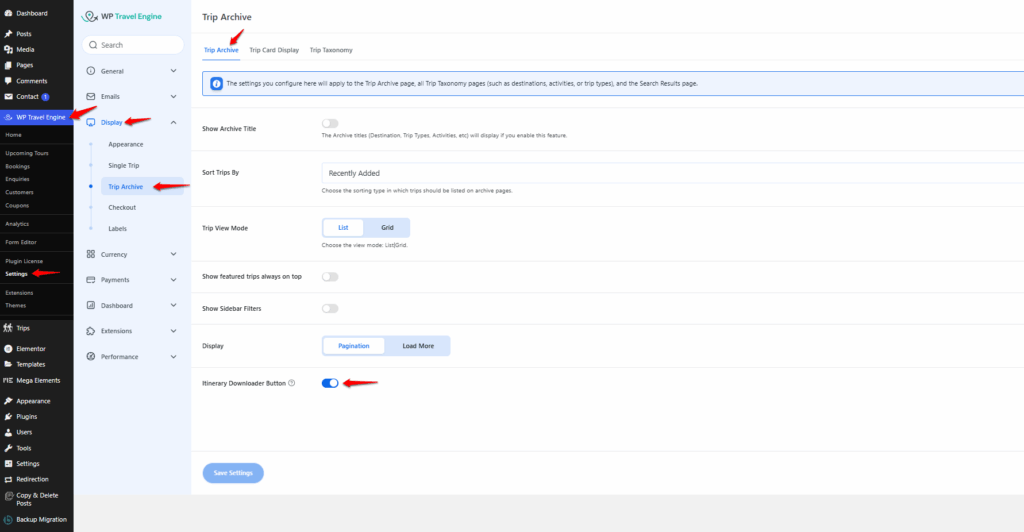
- In the WordPress Admin Dashboard, go to WP Travel Engine > Settings > Display > Trip Archive.
- Under the Trip Archive tab, toggle the Show Itinerary Downloader Button option to enable it.
- Click Save to apply the changes.
Use cases & benefits: #
- Makes it faster for travelers to access trip details.
- Allows users to easily compare multiple trips.
- Helps travelers save itineraries for offline viewing.
- Enables sharing itineraries with friends or family before booking.
Feel free to contact our support team for any other assistance.