
Custom Fonts #
The Custom Fonts is a premium addon provided by the Travel Monster Pro. With this addon, you can upload your preferred custom fonts easily to your website. The uploaded fonts will be displayed across all the Typography options provided by the theme.
Activating the Custom Fonts addon #
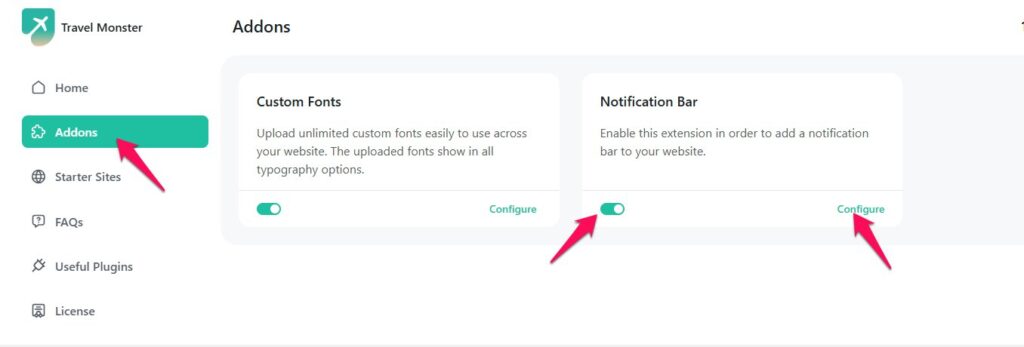
You can access the Custom Fonts addon via Admin Dashboard > Appearance > Travel Monster > Addons. Then enable the toggle to get the Custom Fonts addon to work.
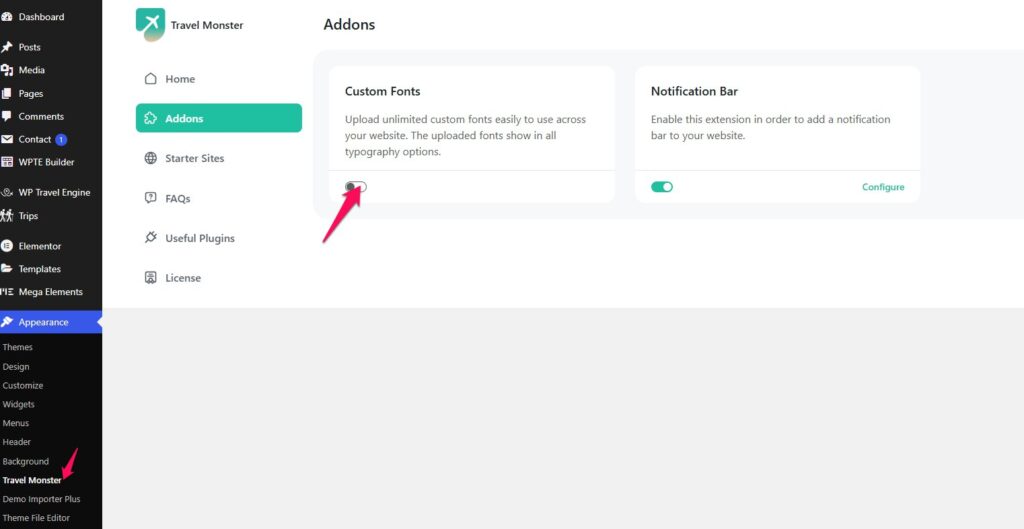
Configuring Custom Fonts Settings #
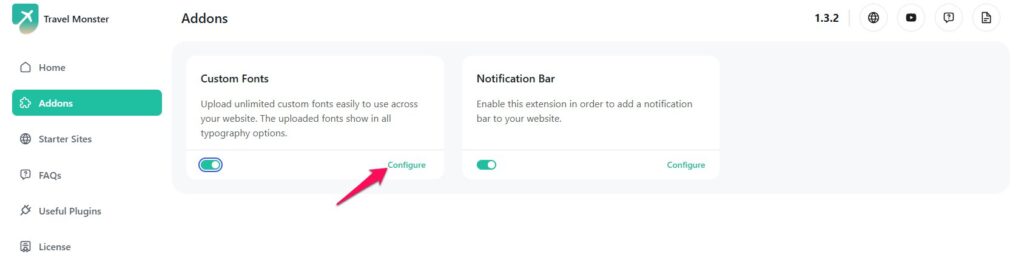
Once the Custom Fonts addon is activated, you can access the Custom Fonts settings by clicking on the Configure link.
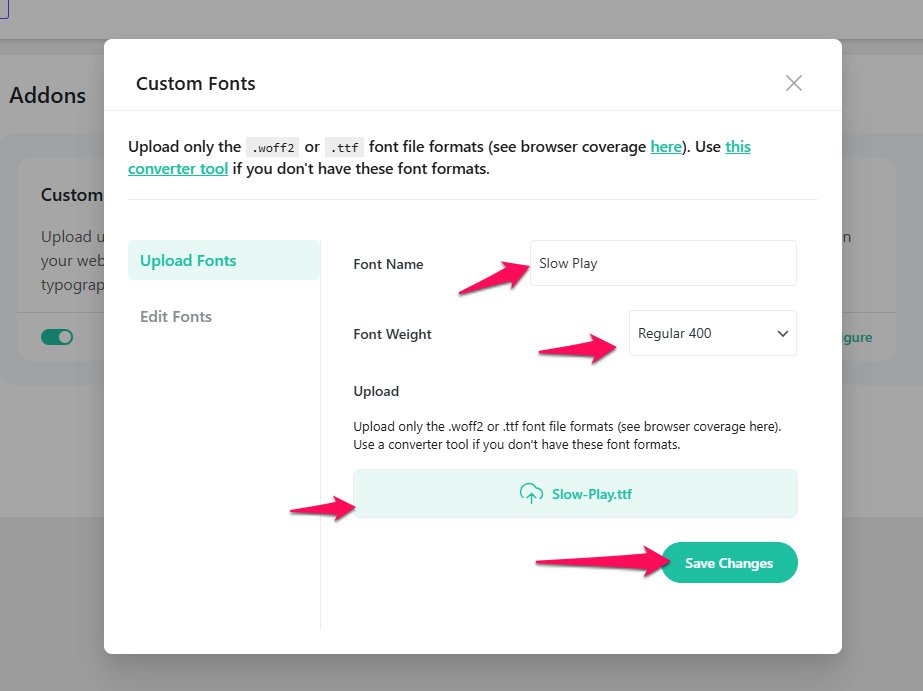
Enter the font name and select the desired font weight. You can then upload the font file here. Please note that only .woff2 or .ttf font formats are supported (you can check browser coverage here). If your font is in a different format, you may use this converter tool to convert it.
After uploading the font, click Save Changes to apply the settings.
You can also edit fonts by replacing the font file, adjusting the font weight, or deleting the font as needed.
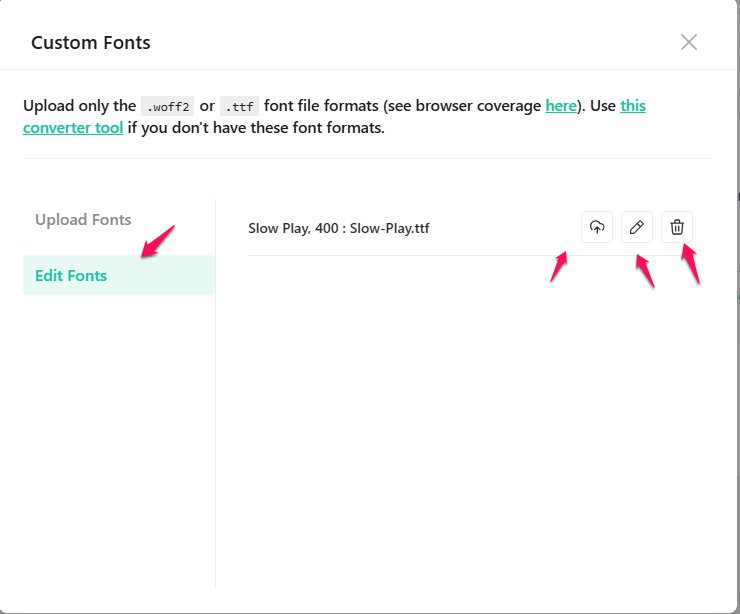
As shown above, all the fonts you upload will appear here.
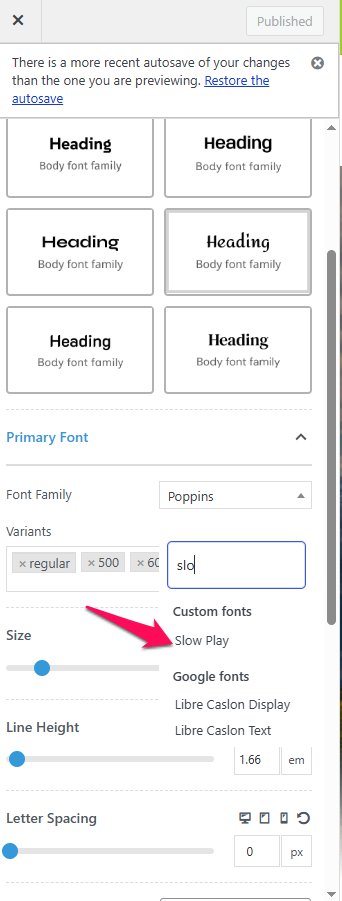
The custom fonts uploaded will now be available in the Typography settings provided by the theme including the site customizer.
Notification Bar #
The Notification Bar is a premium addon provided by the Travel Monster Pro. With this addon,you can display a Notification Bar on your website header.
You can enable the Notification Bar via Dashboard > Appearance > Travel Monster > Addons.
You can find the detail instruction to configure the Notification Bar Settings here.
Feel free to contact our support team for any other assistance.