
Table of Contents
If you want to reorder or organize your pricing categories in WP Travel Engine, you can easily do this using a free WordPress plugin called Simple Custom Post Order. This plugin allows you to drag and drop pricing categories to arrange them in any order you prefer.
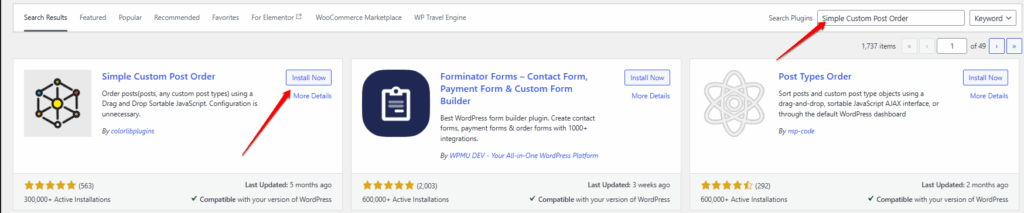
Follow the steps below to set it up:
Step 1: Install the Simple Custom Post Order Plugin #
- Log in to your WordPress dashboard.
- Go to Plugins → Add New.
- In the search bar, type Simple Custom Post Order.
- Click Install Now, and once installation completes, click Activate.
Alternatively, you can download it directly from the WordPress Plugin Directory:
Simple Custom Post Order
Step 2: Configure Plugin Settings #
- After activation, go to Settings → SCPOrder from your WordPress dashboard.
- You’ll see a list of post types and taxonomies supported by your site.
- Check the box next to Categories.
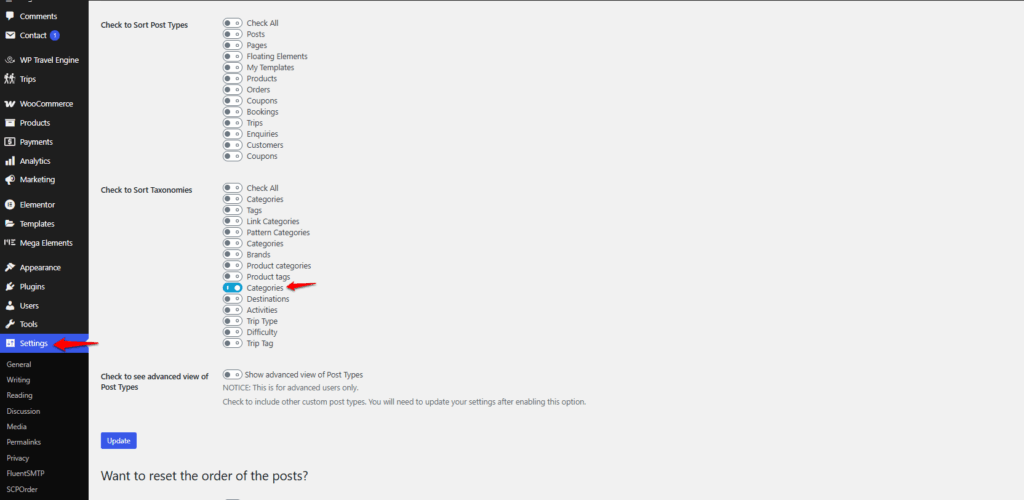
- Click Save Changes.
Step 3: Sort the Pricing Categories #
- Go to Trips → Pricing Categories
- You’ll now see a drag-and-drop interface.
- Drag and drop the categories to rearrange them in the order you desire.
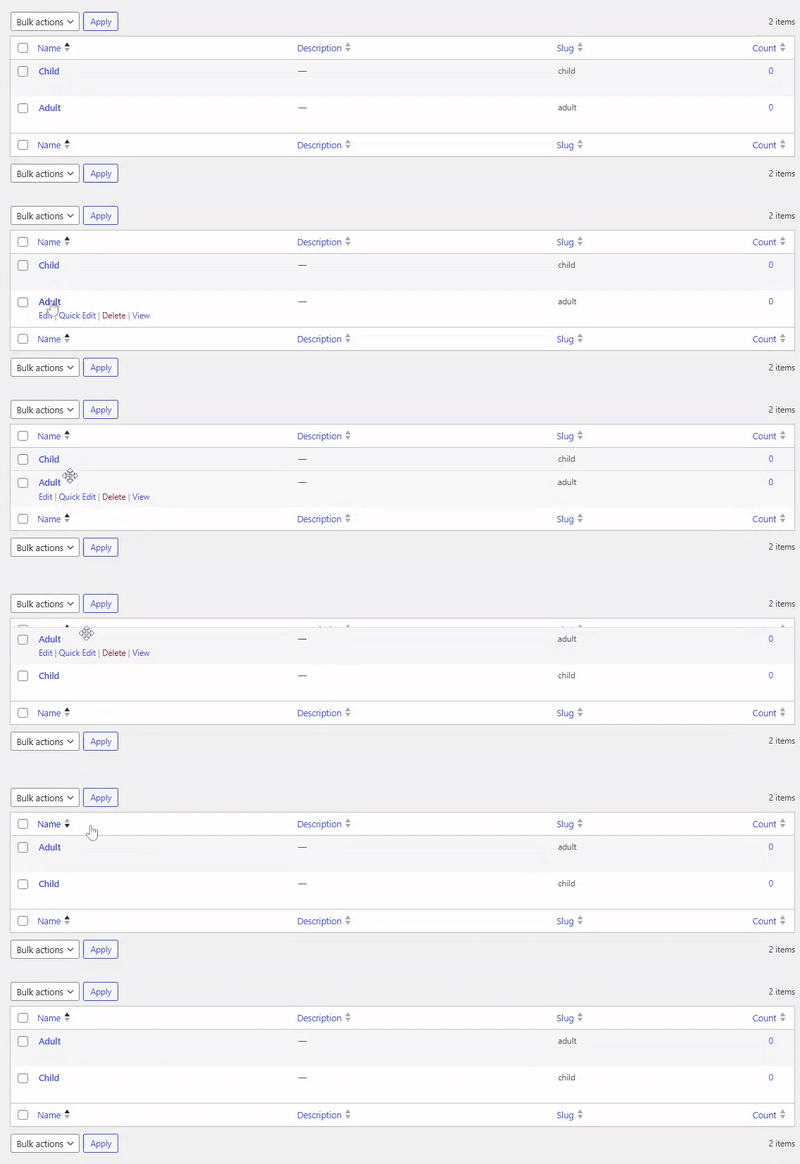
- The order will be automatically saved.
Feel free to contact our support team for any other assistance.