
- Benefits & Use Cases:
- How to Change the Default Trips base slug?
- How to Change the Default Trip Type base Slug?
- How to Change the Default Trip Destination base Slug?
- How to Change the Default Trip Activity base Slug?
- How to Change the Default Trip Tag base Slug?
- How to Change the Default Trip Difficulty base Slug?
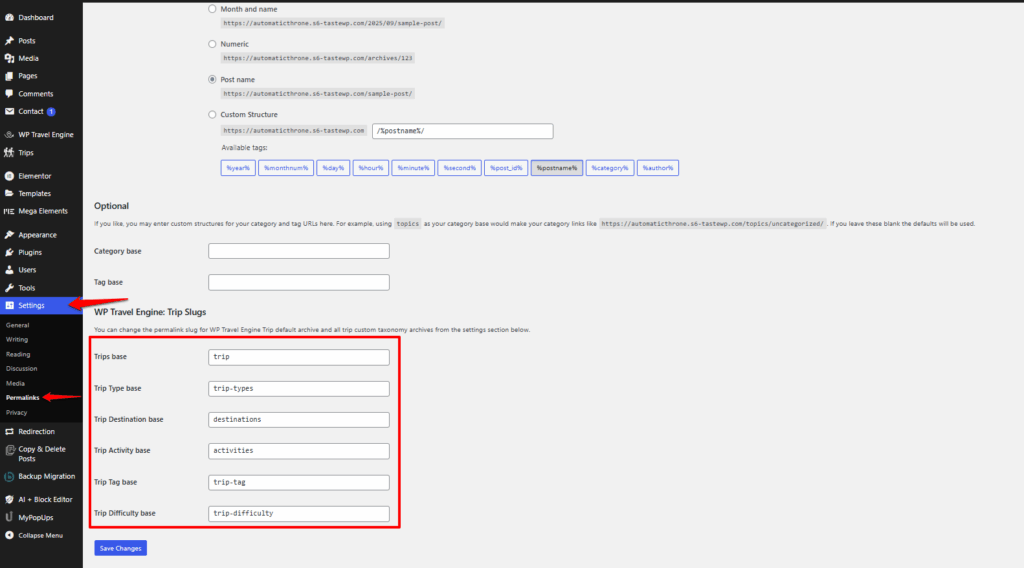
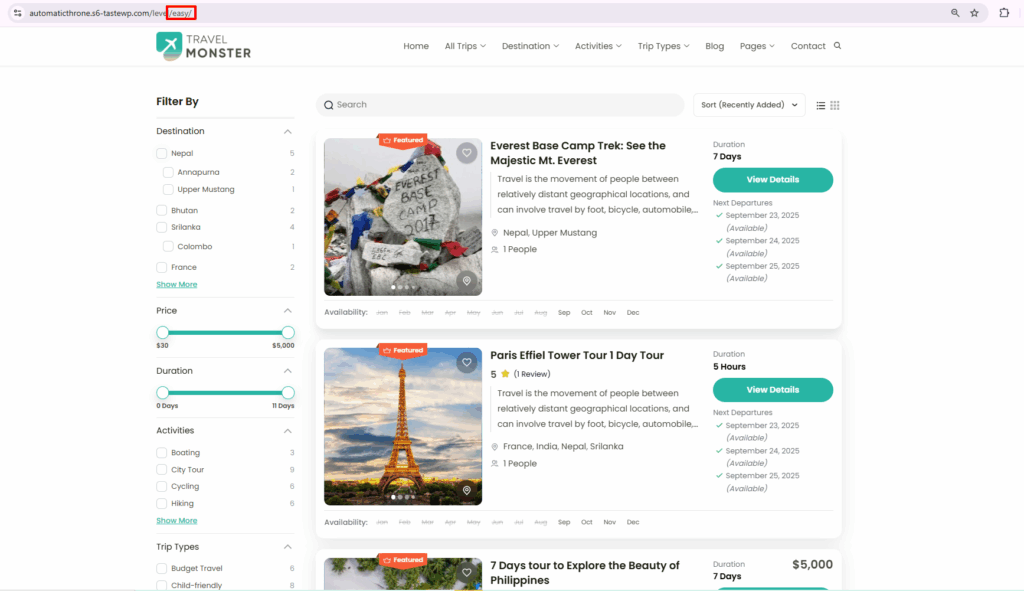
WP Travel Engine provides settings to edit Trip Slugs. You can change the permalink slug for the WP Travel Engine Trip default archive and all trip custom taxonomy archives from the settings.
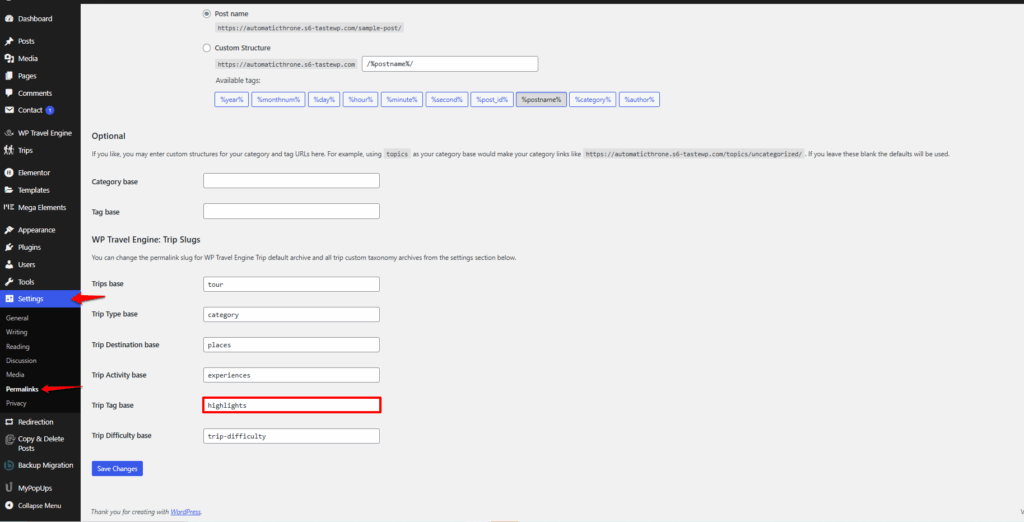
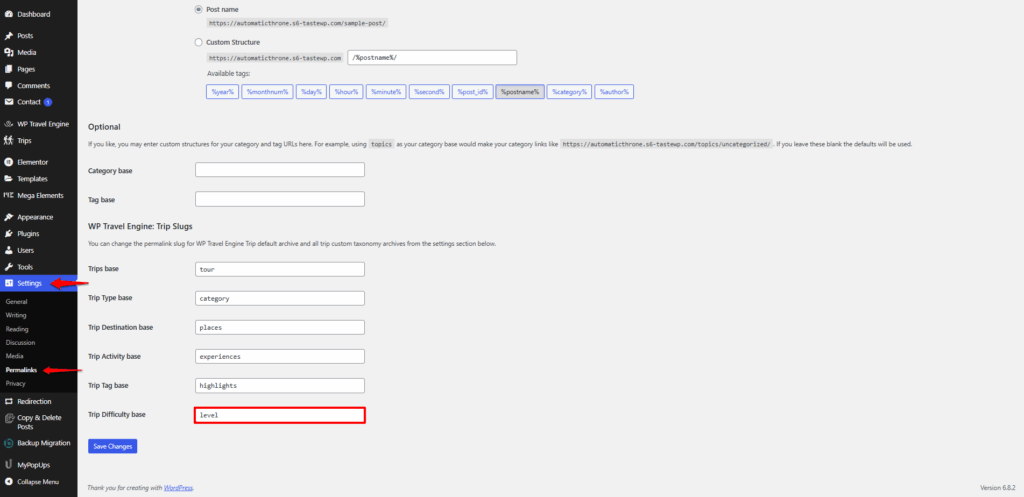
To customize the trip slugs, navigate to WordPress Dashboard → Settings → WP Travel Engine: Trip Slugs. There you can edit the base slugs:
- Trips base
- Trip Type base
- Trip Destination base
- Trip Activity base
- Trip Tag base
- Trip Difficulty base
Benefits & Use Cases: #
- Makes URLs shorter, cleaner, and easier for your customers to remember.
- Improves SEO by using meaningful, keyword-rich slugs.
- Aligns your site’s structure with your branding and content style.
- Helps users quickly understand the purpose of each link (e.g., destinations vs. activities).
How to Change the Default Trips base slug? #
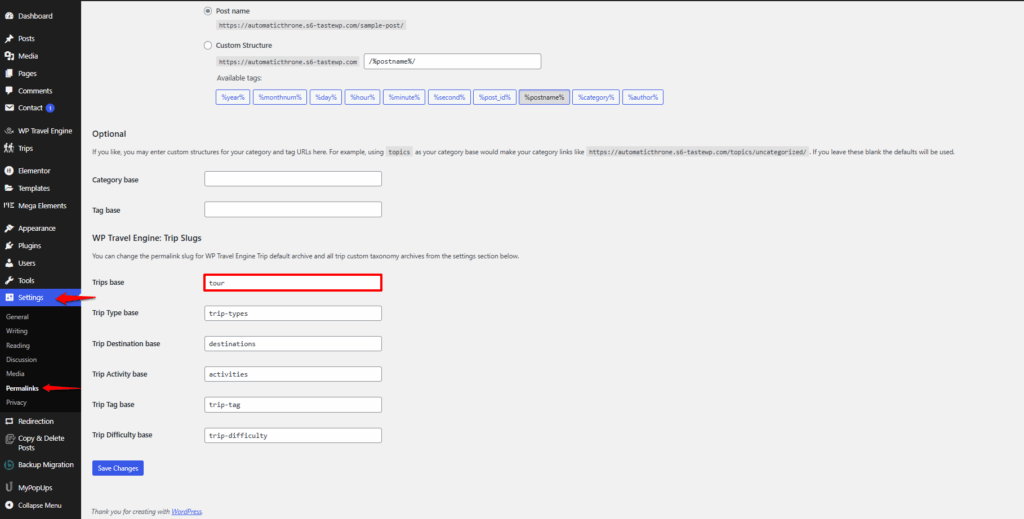
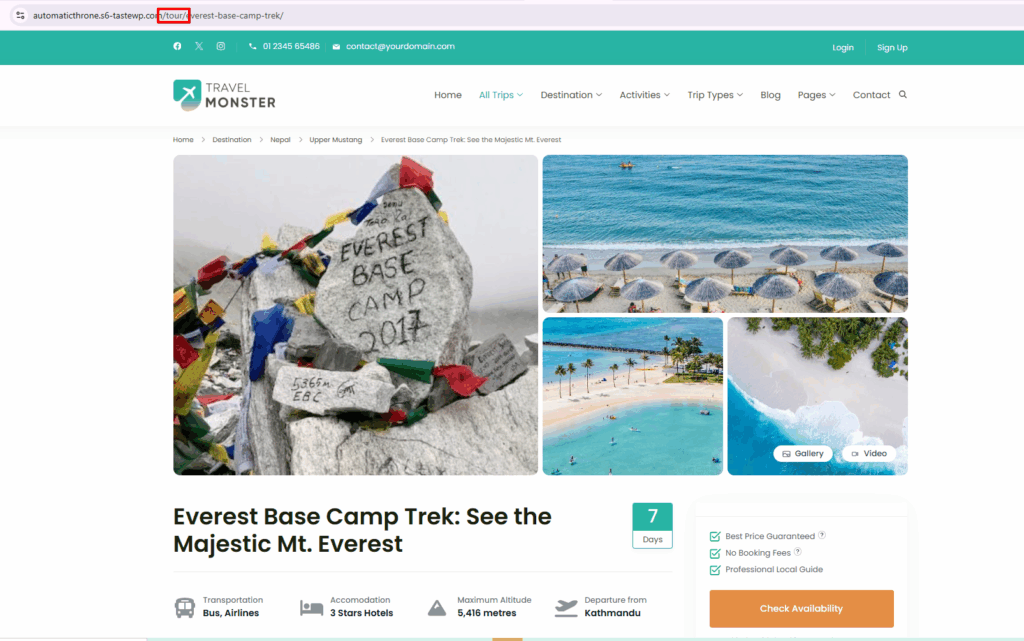
To change the Trips base slug, go to the Trips base field and replace the default “trip” with your preferred term (e.g., tour, holiday). Once updated, your site will automatically use the new slug.
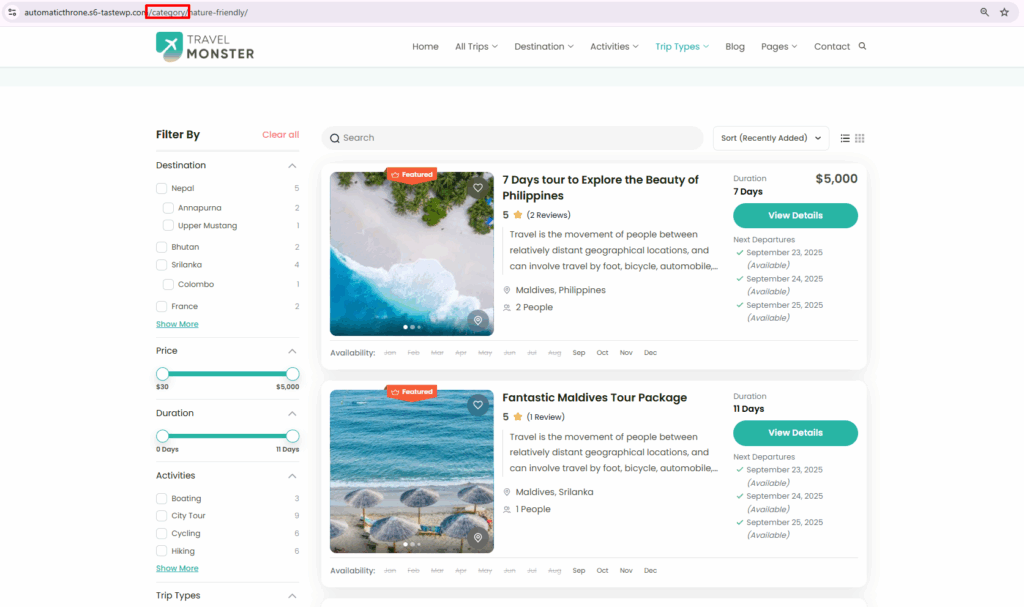
How to Change the Default Trip Type base Slug? #
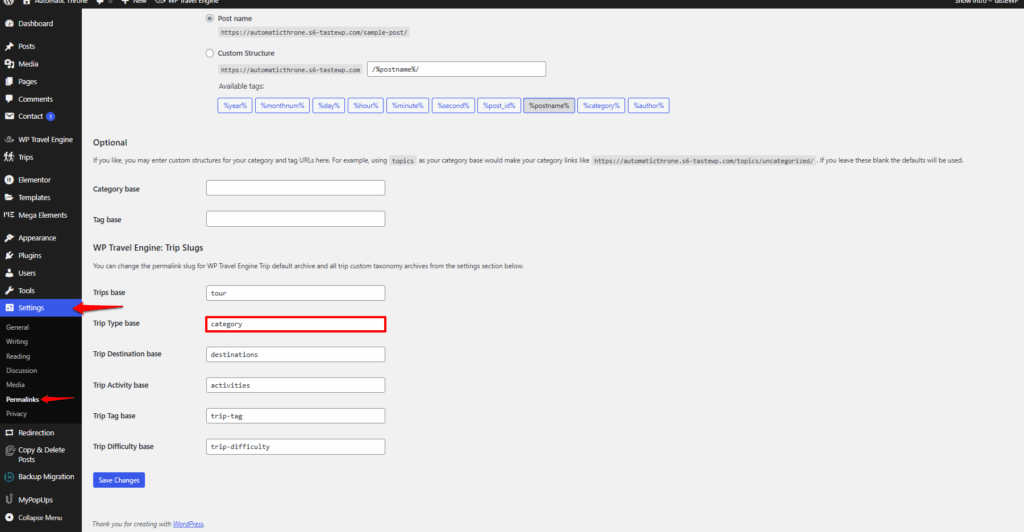
To change the Trip Type base field, you can enter a custom slug, such as style or category, to better describe the types of trips you offer. (e.g., style, category).
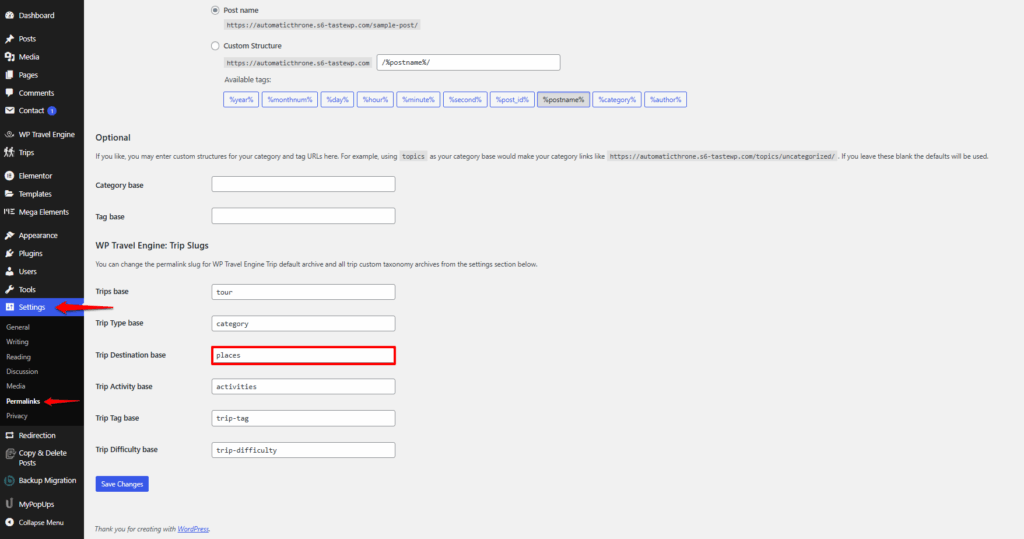
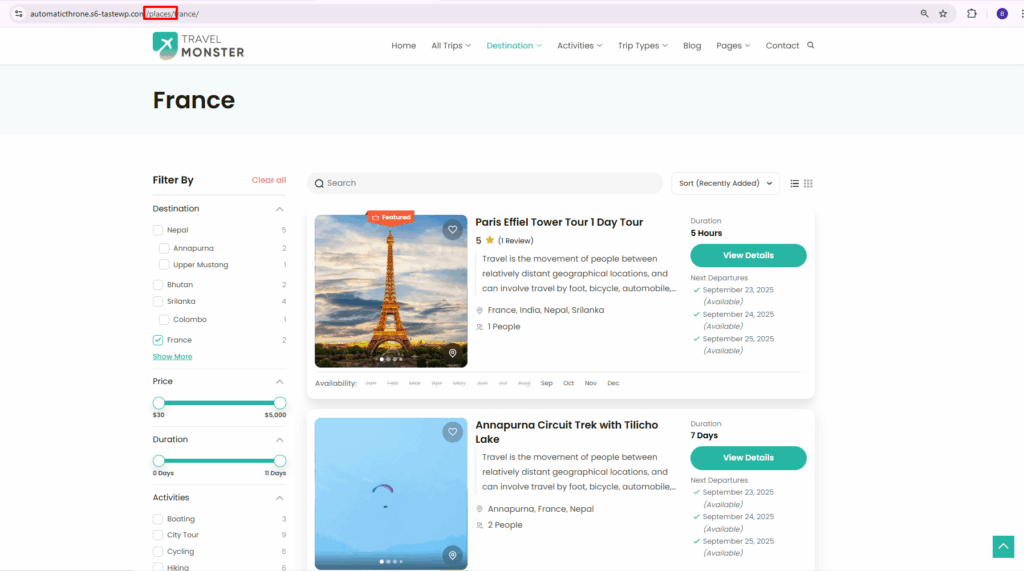
How to Change the Default Trip Destination base Slug? #
You can change the Trip Destination base slug by entering a custom term that makes location-based URLs clearer (e.g., destination, places).
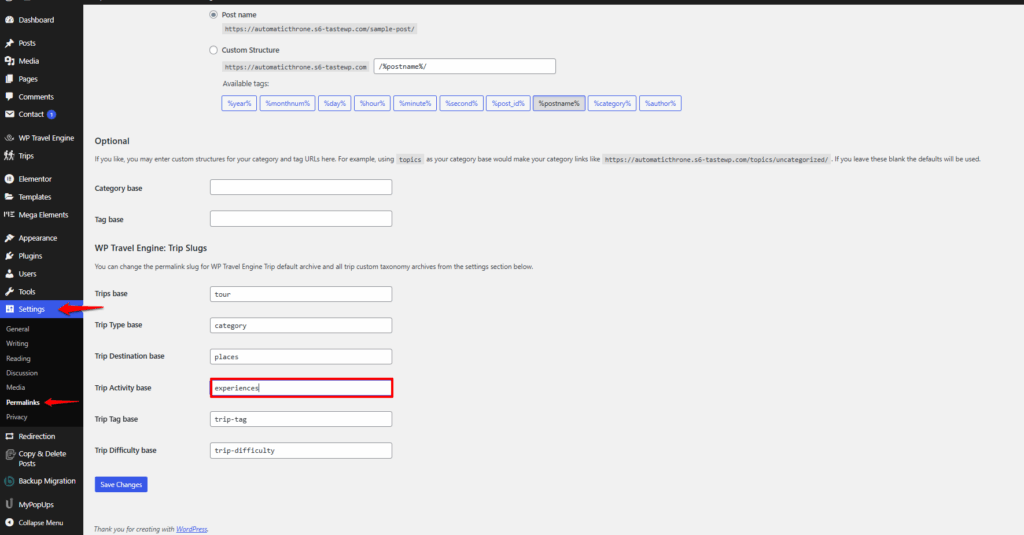
How to Change the Default Trip Activity base Slug? #
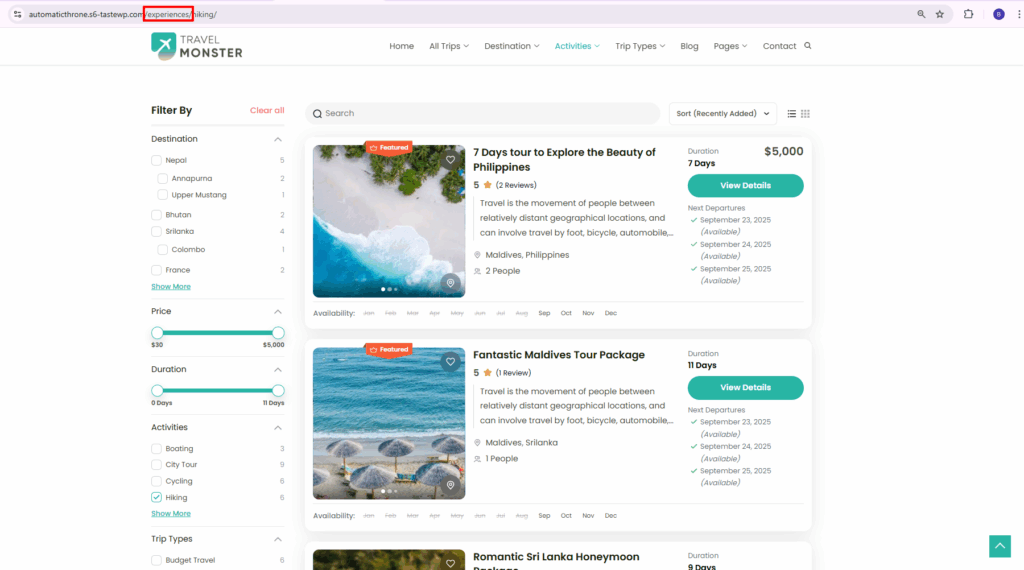
To change the Trip Activity base slug, you can enter a custom term that better represents the activities included in your trips (e.g., activity, experiences).
How to Change the Default Trip Tag base Slug? #
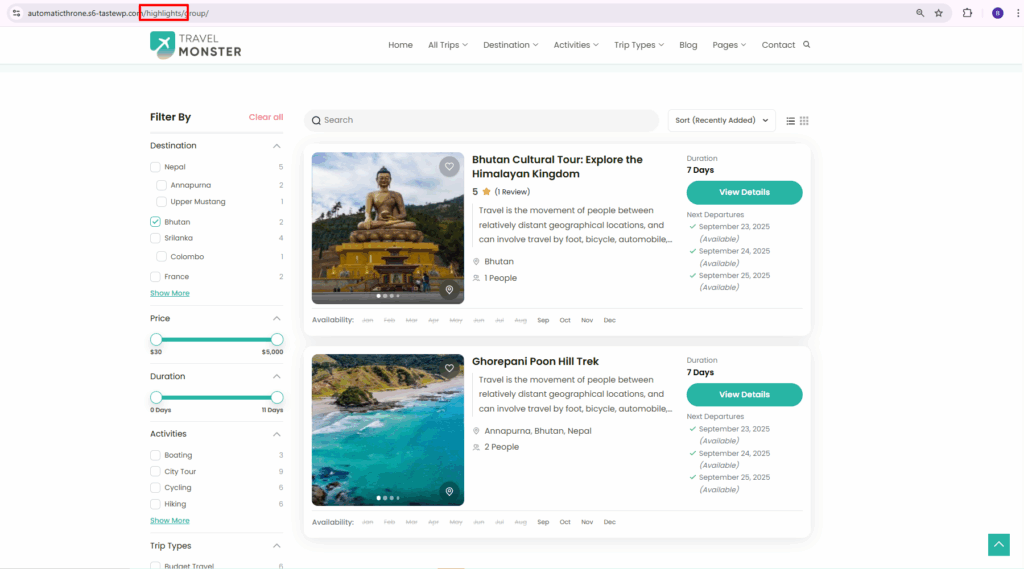
To change the Trip Tag base slug, you can enter a custom term to make tagged trips easier to categorize and search (e.g., tags, highlights).
How to Change the Default Trip Difficulty base Slug? #
To change the Trip Difficulty base slug, you can enter a custom term to organize trips based on difficulty (e.g., level, difficulty).
Feel free to contact our support team for any other assistance.