
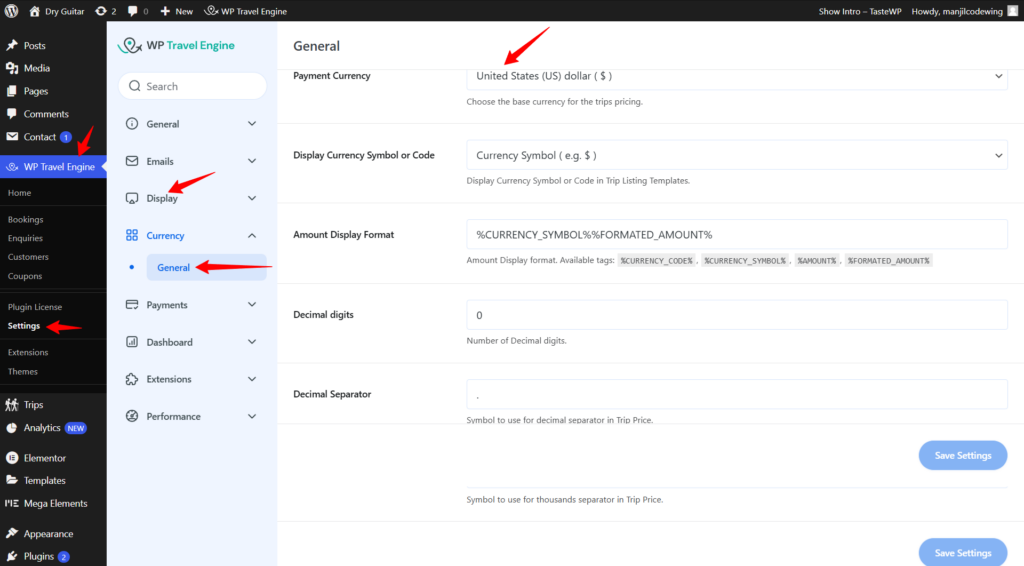
You can easily change the default currency (currently set to dollars) to any other currency in the WP Travel Engine settings. Simply go to your Admin Dashboard > WP Travel Engine > Settings > Currency > General > Payment Currency. There, you’ll find the option to select your preferred payment currency.
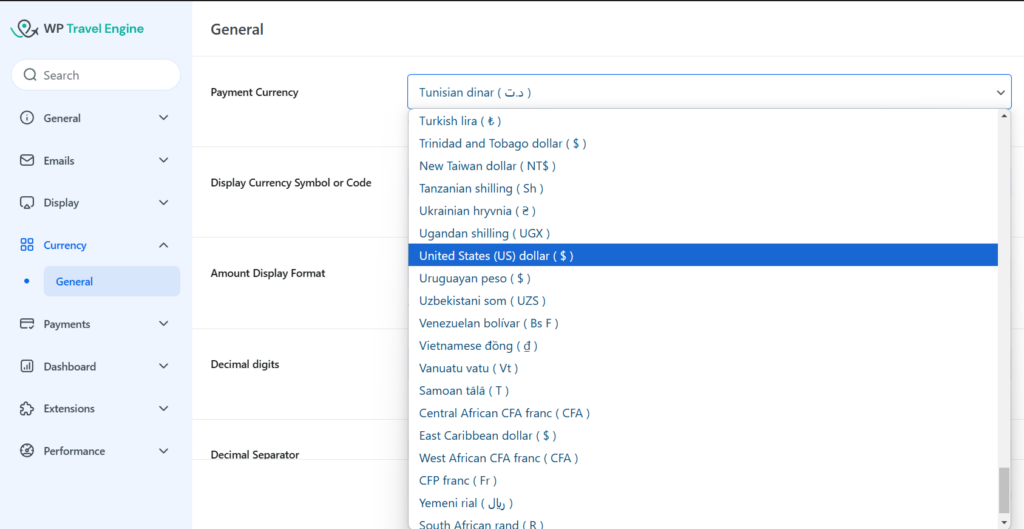
From there, you can choose your desired currency from the drop-down menu.