

Fix: Search Result Page Showing a 404 Error
Resolve a 404 error on the trip search result page by switching your WordPress Permalink structure to Post name.
If your search result page opens to a 404 error, the problem is usually your permalink structure in WordPress. A permalink is the web address WordPress creates for each page on your site.
For example, a traveler might search for "Annapurna Base Camp Trek" on your website and expect to see matching trips. If the search results page shows a 404 error instead, WordPress is usually not using the right page link format for that results page.
This is a common issue. The fix is quick.
Solution
You'll need access to your WordPress dashboard before you start. That is the main admin area where you manage your website.
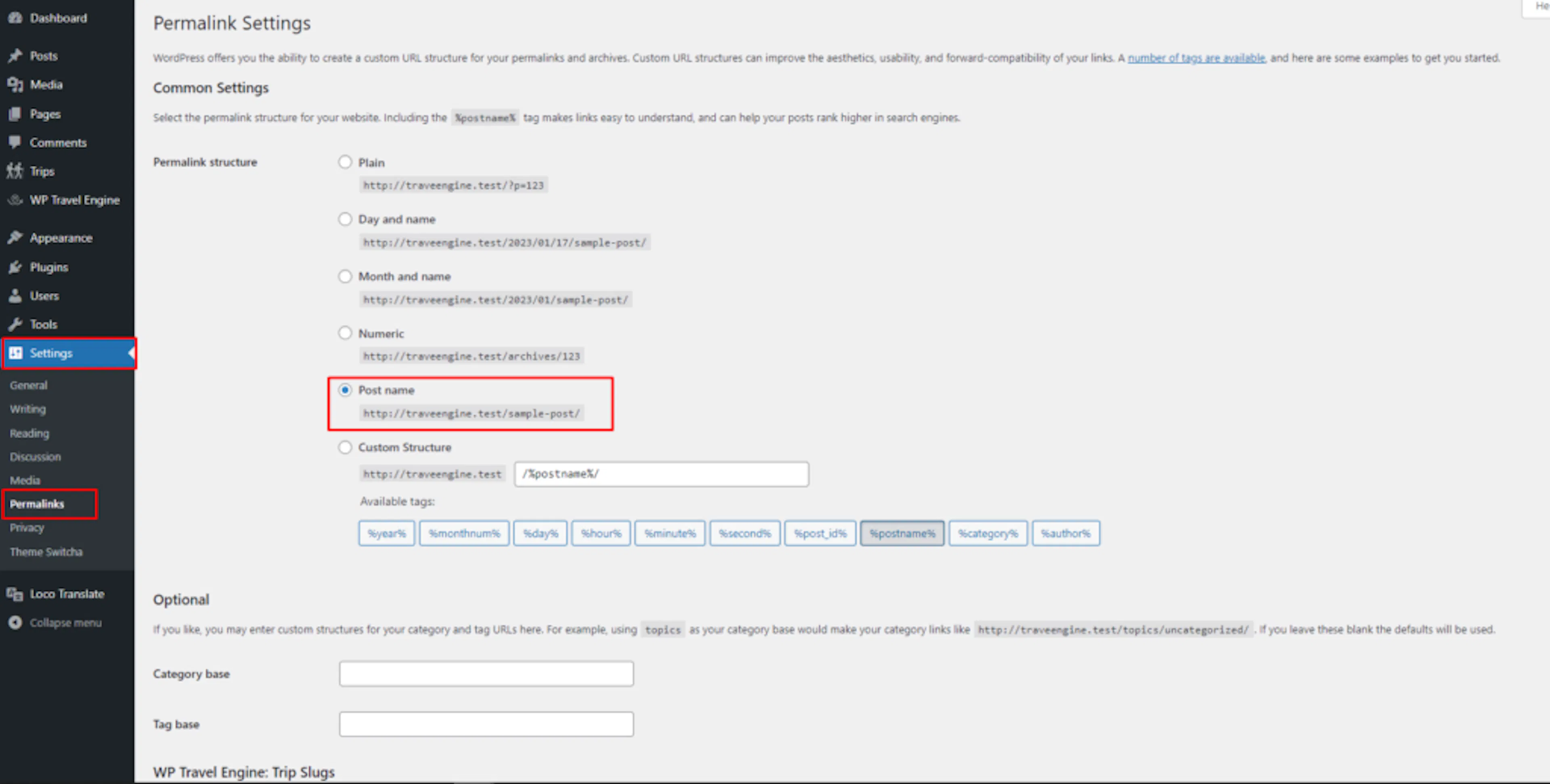
Open your Permalink settings
This opens the place where WordPress controls how page links are created.
Go to Settings → Permalinks in your WordPress dashboard. You will usually find Settings on the left side menu.
Switch to the Post name structure
This tells WordPress to use a page link format that works properly with the trip search result page.
If your permalink structure is set to Plain or another option, switch it to Post name.
Save your changes
This updates the setting and helps WordPress send visitors to the correct search results page.
Click Save Changes at the bottom of the page.
After you save, search for a trip on your site again and check the results page one more time. In many cases, it starts working right away.
If Post name is already selected, click Save Changes anyway. Re-saving the permalink settings tells WordPress to rebuild its internal page map. That is the map WordPress uses to send visitors to the right page. This often fixes the error on its own.
If you're still stuck or have a question we didn't cover, our support team is happy to help. Reach out at our support page and we'll get you sorted.