

How to Add the Itinerary Downloader Button on the Archive Pages
Let travelers download trip itinerary PDFs from your trip list, so they can compare tours, save details, and plan with confidence.
What this does
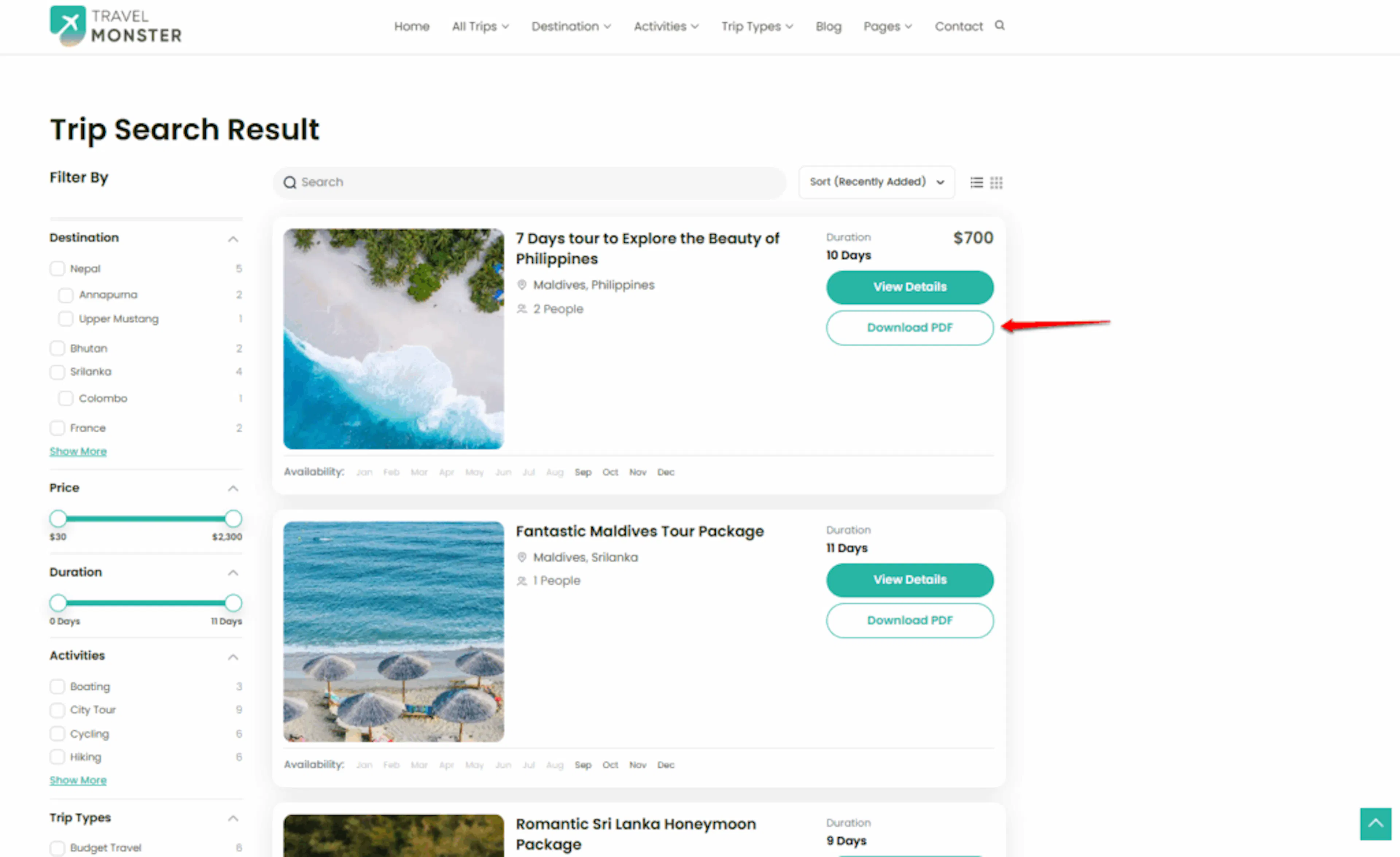
The Itinerary Downloader button lets travelers download a trip's itinerary PDF from your trip list. An archive page is the page where all your trips appear in a list, like a catalog.
Travelers can compare trips without opening each trip page. For example, someone choosing between a three-day trek and a one-day valley tour can download both itineraries and review the details before booking.
The Itinerary Downloader add-on must be installed and active before you can add this button.
Once the add-on is ready, turning on the button takes only a few clicks.
Turning on the button
Before you start, make sure the Itinerary Downloader add-on is installed and active on your WordPress website.
Open the Trip Archive display settings
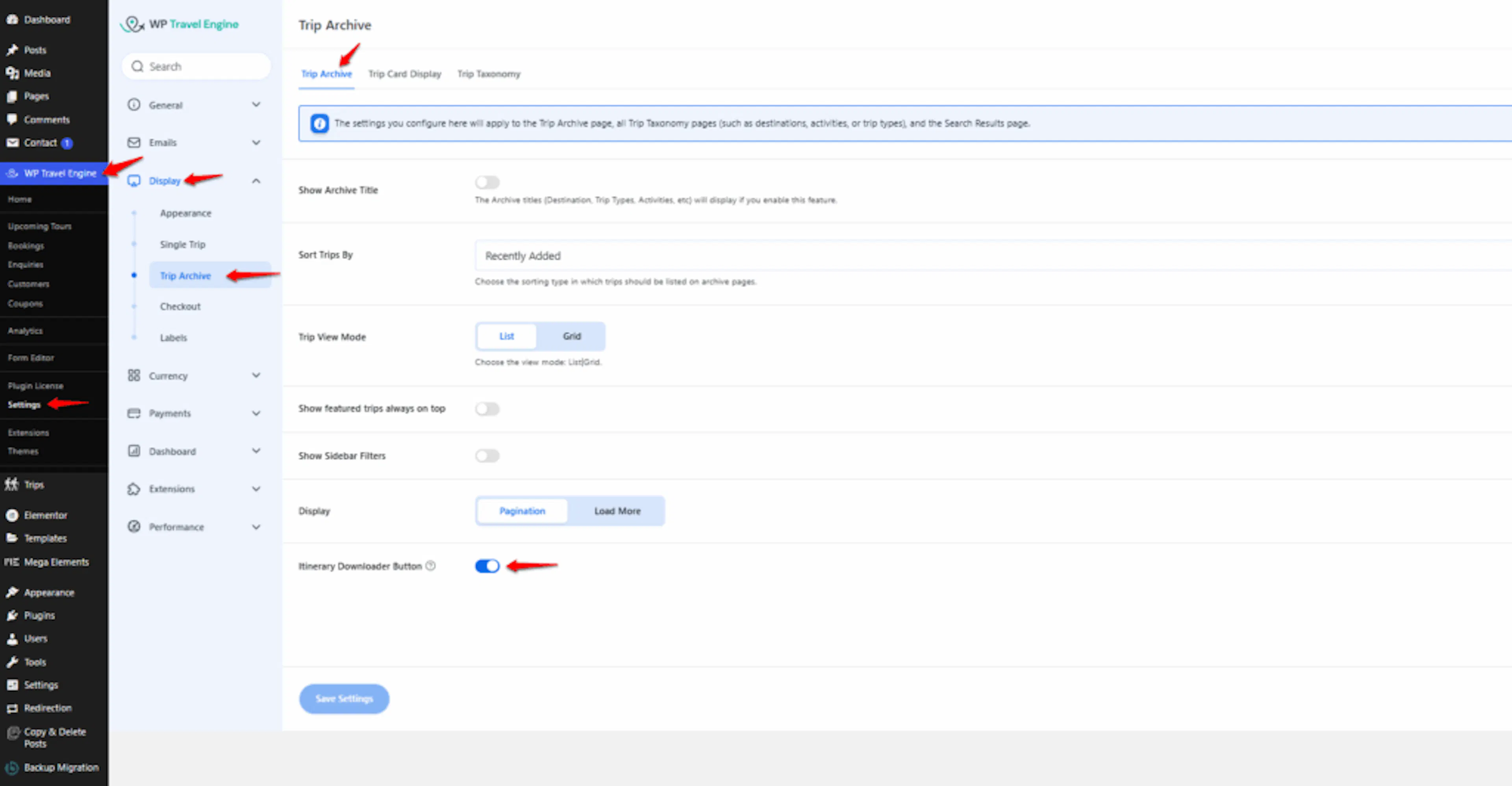
On the left side of your WordPress dashboard, find WP Travel Engine. Open it, then go to Settings > Display > Trip Archive.
This is where you control what travelers see on the page that lists your trips.
Turn on the Itinerary Downloader button
Find the Show Itinerary Downloader Button option under the Trip Archive tab. Turn on the toggle next to it.
This adds a download button to each trip listing. Travelers can use the button to get that trip's itinerary PDF without opening the full trip page.
Save your changes
Click Save to apply the change.
Saving is required before the button can appear on your website.
Visit your trip archive or search page on your website and look at one of the trip listings. You should now see the download button on each listing. Once you see it, your travelers can start downloading trip itineraries from the list.
Why this helps your travelers
- Faster access to trip details: Travelers can download the itinerary while browsing your trips. For example, a traveler comparing two Nepal treks can review the daily schedules without opening several pages.
- Easier trip comparisons: Travelers can save itineraries for different tours and compare them later. This helps when choosing between a day tour and a multi-day package.
- Useful offline planning: Travelers can keep the itinerary on their phone or computer when they do not have an internet connection. Someone joining a remote trek can check the schedule, meeting point, and packing details while traveling.
- More useful sharing: Travelers can send an itinerary to friends or family before booking. For example, a guest can share a group tour plan that includes gear rental and seasonal pricing with everyone joining the trip.
If you're still stuck or have a question we didn't cover, our support team is happy to help. Reach out at our support page and we'll get you sorted.